
Retry policies
Set when a failed recurring payment is retried and what happens after the last attempt.
A retry policy sets when a failed rebill is retried and what happens after the last attempt. Each offer has a retry policy. The retry matrix of the merchant account can apply another policy, or no retry, depending on the failure. Retry policies live in Subscriptions › Retry policies.
Three rules apply to every policy:
- Each attempt is scheduled relative to the previous one.
- A policy with zero attempts is a no-retry policy: the occurrence is abandoned immediately.
- Saving a change to the retry parameters creates a new version of the policy. Renaming it does not.
Create a retry policy
- Go to Subscriptions › Retry policies and select Create.
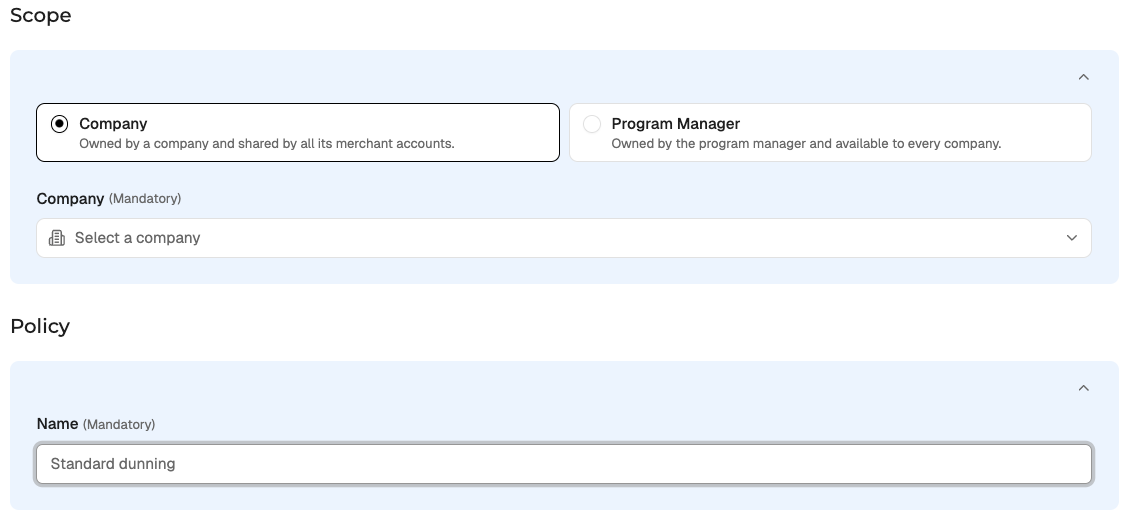
- In Scope, choose who owns the policy.
- In Policy, enter a Name, for example "Standard dunning".
- In Schedule, add the attempts and choose what happens after the last one.
- Check the timeline in the Preview panel, then select Create.
Scope
| Scope | Description |
|---|---|
| Company | Owned by a company and shared by all its merchant accounts. Select the Company: the field is mandatory. |
| Program Manager | Owned by the Program Manager and available to every company. |
Attempts
Each delay counts from the previous attempt, not from the initial failure: attempt 1 at 1 day and attempt 2 at 3 days retry on day 1 and day 4, not on day 3.
For each attempt, enter the delay and its Unit: minutes, hours, days or weeks. Select Add attempt to add one, or the bin icon to remove one. A policy has up to 8 attempts, and each delay is within 45 days.
The Preview panel shows the resulting timeline. For the example above:
| Step | When |
|---|---|
| Initial failure | The recurring payment fails. |
| Attempt 1: +1 day | 1 day after the initial failure. |
| Attempt 2: +3 days | 4 days after the initial failure. |
After the last attempt
While the attempts run, the subscription is past_due. A successful attempt puts it back to active. Choose what happens when the last attempt fails:
| Option | Effect |
|---|---|
| Leave it past due | The unpaid rebill is given up and billing continues: the subscription goes back to active and the next rebill is taken on its normal date. |
| Pause the subscription | The subscription becomes paused with no end date, until you resume it or reactivate its subscriber. |
| Cancel the subscription | The subscription becomes cancelled, with payment failure recorded as the reason. |
In every case, the unpaid rebill is counted as overdue and can still be paid later on the hosted payment page. See Update the payment method.
The last step of the Preview timeline shows the option you chose.
Despite its label, this option does not keep the subscription past_due: it goes back to active, and the unpaid rebill is counted as overdue.
Related pages
Updated about 17 hours ago