
Braintree
This guide will walk you through the process of activating Braintree on NORBr.

Step 1: Contract signature
Sign a contract with Braintree, and get access to the back office.
Step 2 : Retrieve your credentials from back office
Connect to the interface : and go to settings next to the search bar and click on business
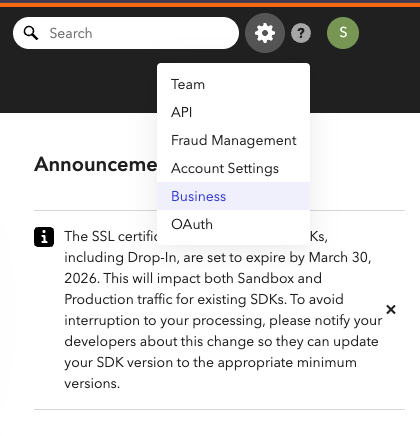
Make note of your merchant ID and your merchant Account ID
You will also need the publicKey and privateKey by going to API and finding the keys under API Keys

Step 3: Add a Contract to your Merchant Account
-
Log into your Merchant Account.
-
Navigate to Contracts in the left navigation. Select + Create to add a new contract.
-
Select the Merchant Account you want to link to the contract
-
From the provider drop-down list, select Braintree.
-
Settlement currency: select from the drop-down menu. You will only see the available ones.
-
Give your contract a name for easier identification: eg. PSP name.
-
Operational configuration (authentication, risk assessment, network tokenization) : leave without changes
-
Select your sales channels and add payment methods. Once added, you can specify the authorization currency and the sales channels for each payment method.
To activate a payment method with Braintree, you will need your merchantId, publicKey, privateKey and merchantAccountId.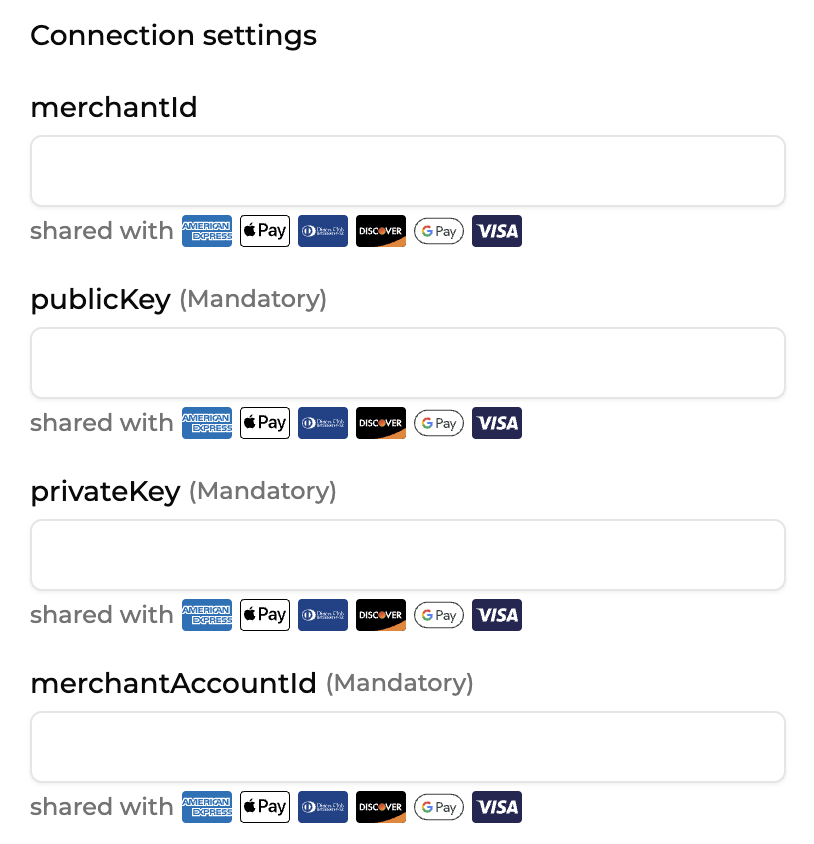
-
Exclusion rule : Set up your exclusion rule if you have one. This section lets you define a condition under which this contract will not be used for routing.
-
Once you have filled in the credentials, select Save, then select Publish to make the contract operational.
How to Configure GooglePay
1 - Onboard your website on GooglePay and get your merchant ID
2 - Fill out your credentials in your merchant contract as described below :
- googlepay_merchantId = your GooglePay merchant account ID (step 1). For the sandbox environment, you can put a random string.
- merchantAccountId = the name display in the GooglePay pop up when the customer pays
Test cards
American Express 378282246310005
Discover 6011000991300009
Visa 4111111111111111
For an unsuccessful test
visa 4000111111111115
AMEX 378734493671000
JCB 3566002020360505
Updated about 1 month ago