
Get your API keys
To start using the payment API, you need a pair of API keys: a Public Key and a Private Key. These keys authenticate your requests and link them to your account.
What is an API key
An API key is a unique identifier used to authenticate requests made to an API endpoint. It tells the system who you are and what you’re allowed to do. In the context of payment APIs, your API keys allow your application to:
- Securely connect to the payment system
- Perform actions like creating transactions, authorizing payments, issuing refunds, etc.
- Access resources associated with your account
There are two types of keys:
- Public Key: Safe to use in client-side code. Identifies your application.
- Private Key: Used only on the server side. Grants full access and must be kept confidential.
Environments
API keys are environment-specific:
- Test API Keys: For development and testing in Sandbox — no real money involved.
- Live API Keys: For production use — real payments will be processed.
Make sure you use the correct key set - test or live. You will find them in both environments, in the same place.
Where to find your API keys?
- Login to your merchant account - Sandbox or Production.
- On the left-hand sidebar, navigate to Integration section.
- Go to API keys.
- You will enter a table with all API keys belonging to all your merchant accounts.
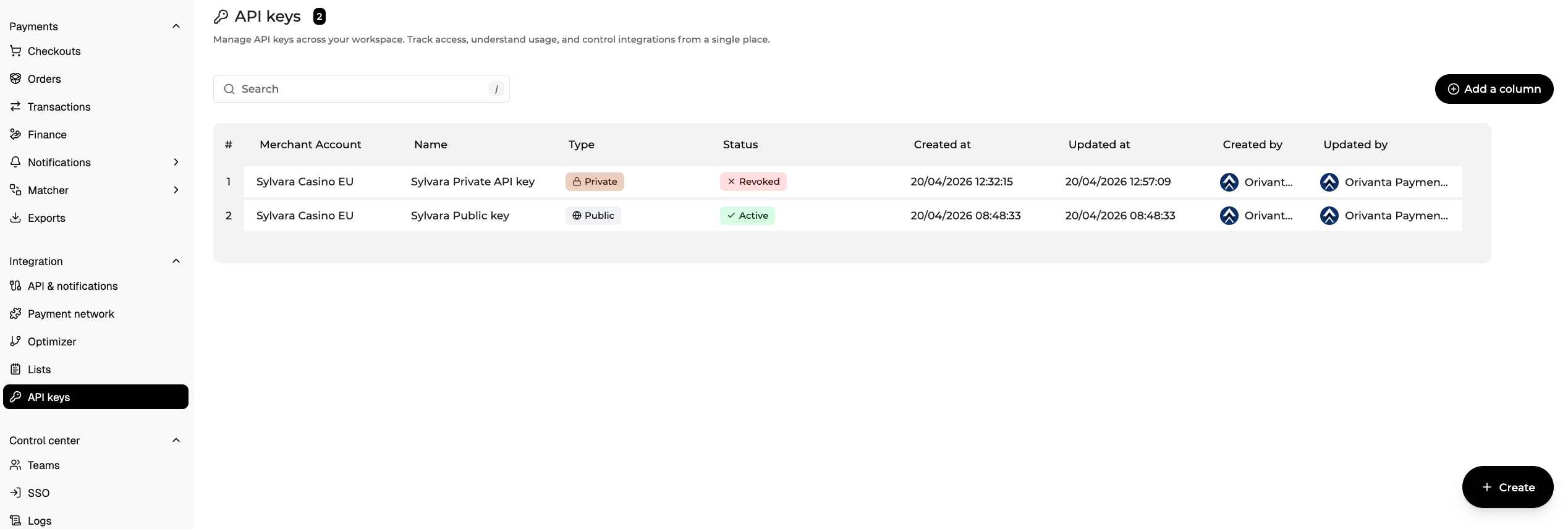
- Select the one you need and in the follow up window press Show key. You will be informed that the action is logged.
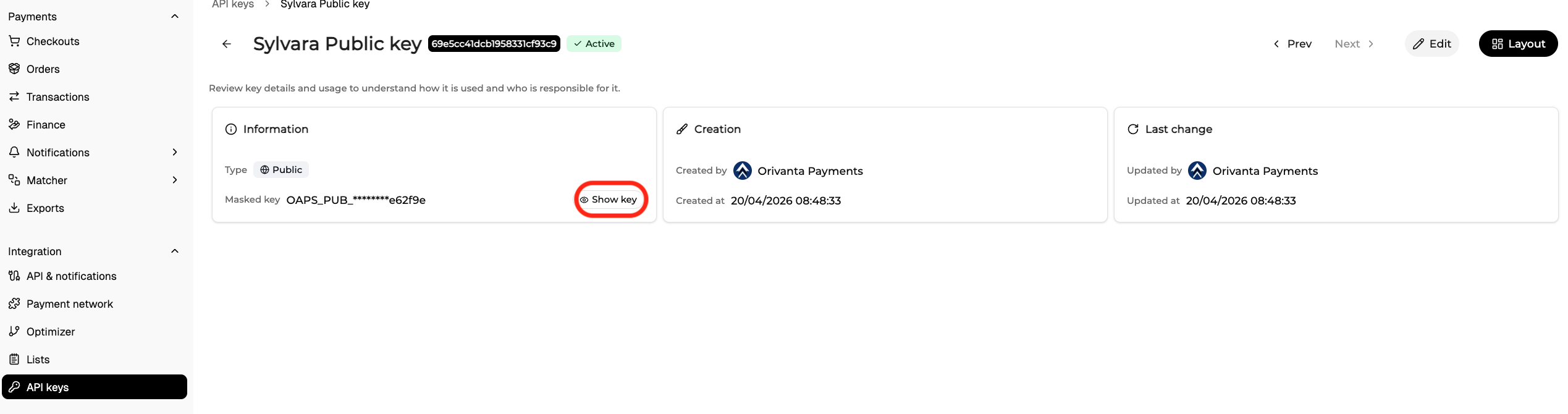
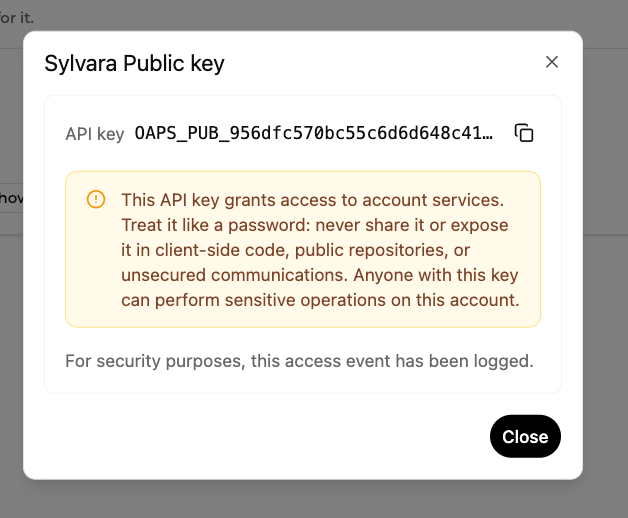
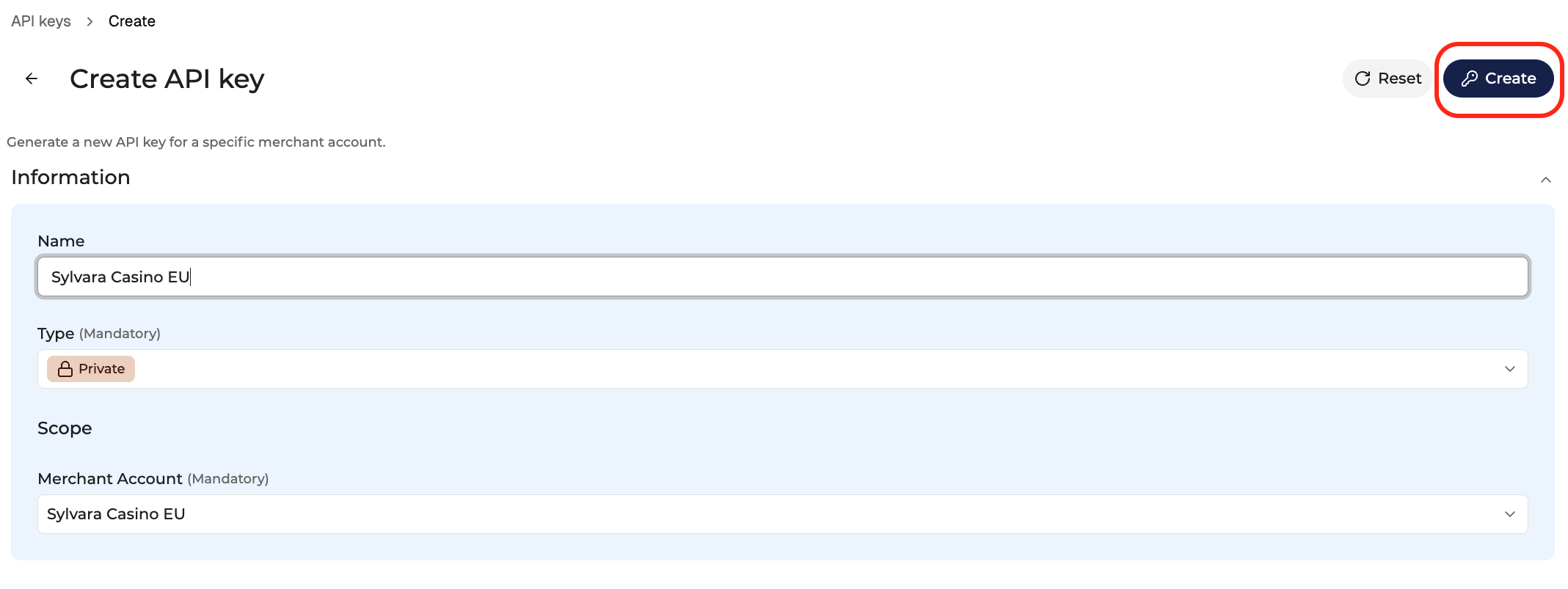
In the API key section, you will be also able to create a new API key if needed.
- When in the table with available API keys, press Create in the bottom right corner.
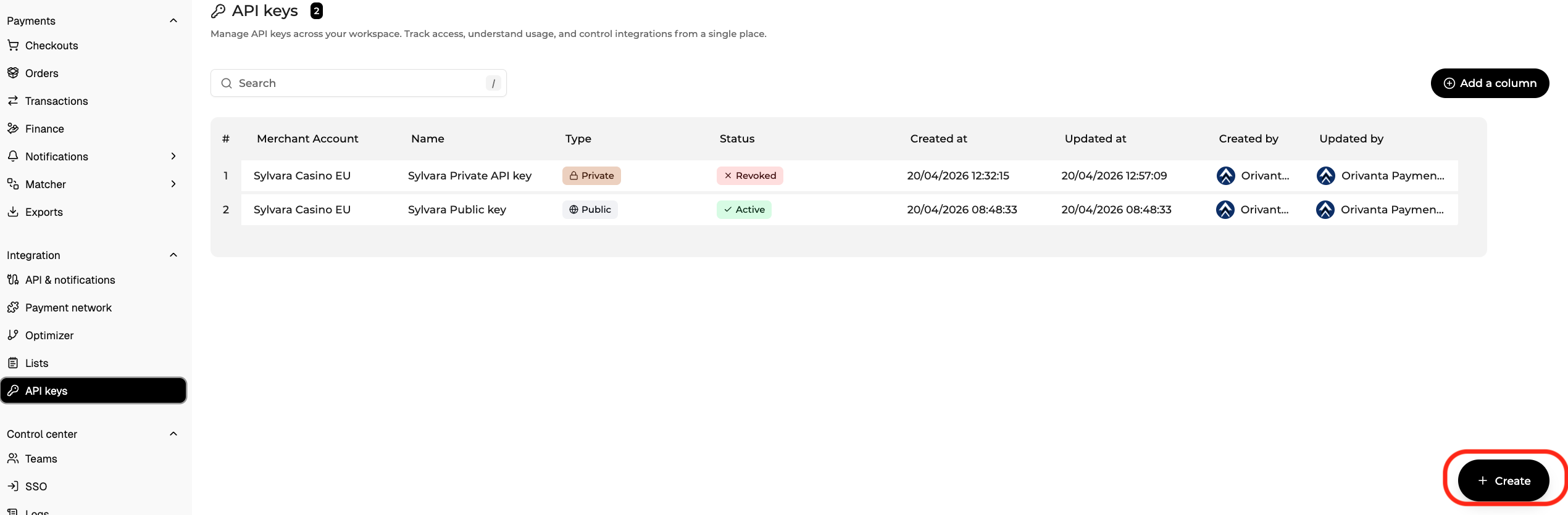
- Fill in the details: name, type, merchant account and confirm with Create in the top right corner.
Security Guidelines
- Never expose your private key in frontend code, public repositories or any public communication (emails, tickets).
- Use environment variables to manage keys securely in your backend.
- If a key is compromised, revoke it immediately and generate a new one.
- Rotate your private keys periodically for added security.
Updated 6 months ago