
Retry matrix
Decide, per merchant account, which retry policy applies to each failed recurring payment.
The retry matrix sets the retry behaviour from the reason of the failure, across all your offers: which retry policy applies, or whether to retry at all. Each merchant account has one decision tree. To open it, go to Subscriptions › Retry matrix and select the merchant account in the page header.
How the tree works
At the first failure of a rebill, the failed transaction enters the tree at Failed attempt and walks it. At each criterion, the first matching branch wins. Anything unmatched follows Other. Every path ends on an outcome: a retry policy or No retry. The choice is made once, at the first failure; the retries then follow it to the end. When the matrix gives no outcome, the retry policy of the offer applies.
| Node | Role |
|---|---|
| Failed attempt | Entry point. The first failure of each rebill enters here and walks the tree. |
| Criterion | Splits the path by one value of the failed transaction. Its branches are checked in order, and the first match wins. |
| Other | The no-match path of a criterion, shown dashed. |
| Outcome | End of a path: a retry policy or No retry. |
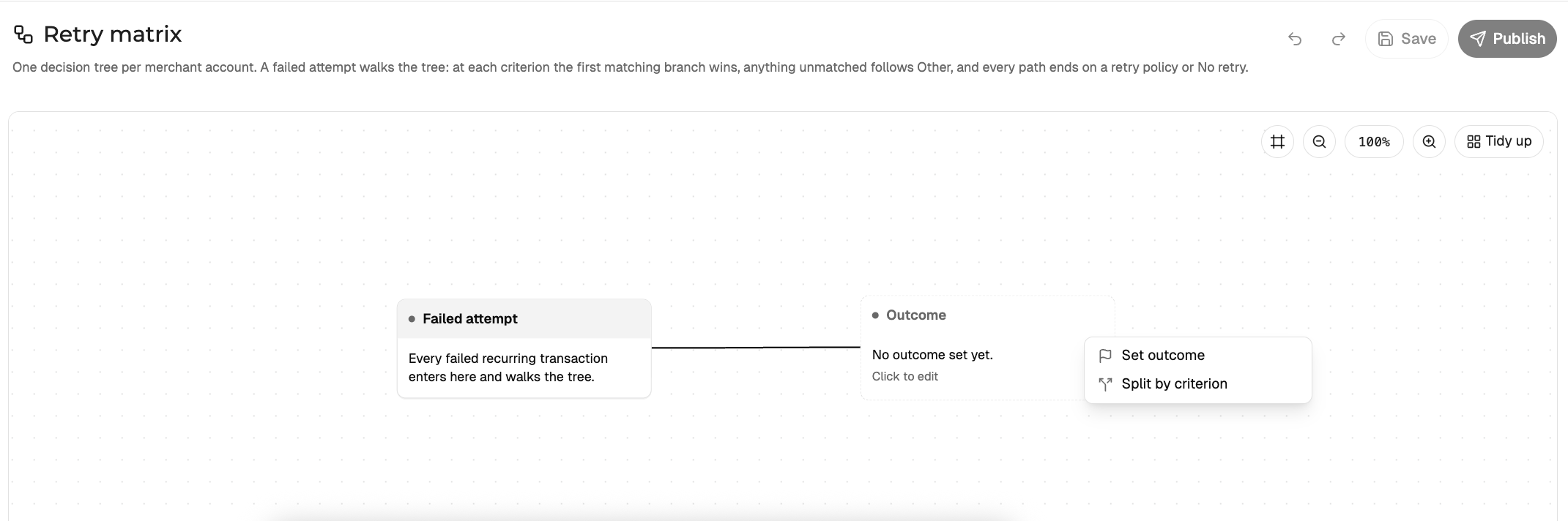
A new tree has one path: Failed attempt, then an Outcome with no outcome set yet.
Set an outcome
-
Select the Outcome node, then Set outcome.
-
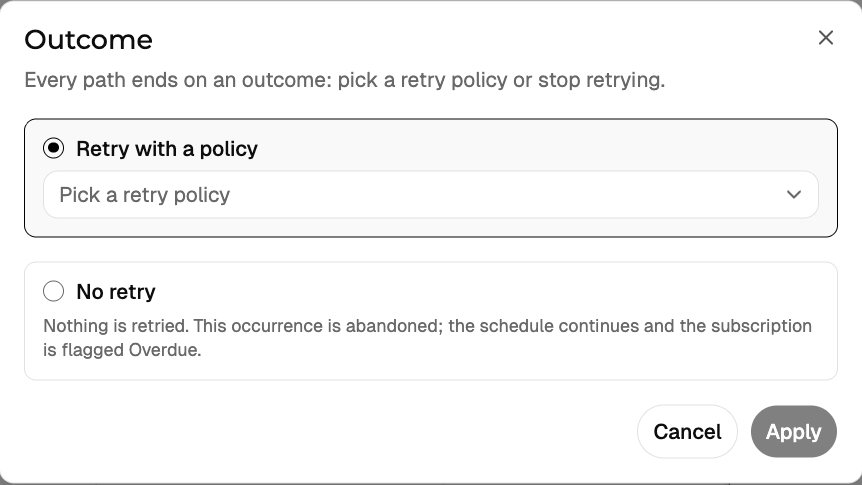
Choose one option:
- Retry with a policy: pick the retry policy in the list. It applies instead of the policy of the offer.
- No retry: the rebill is given up at once. The final action of the offer's policy is not applied: the subscription keeps its status and only its overdue count changes.
-
Select Apply.
Split by criterion
To treat some failed transactions differently, replace an outcome with a criterion:
- Select the Outcome node, then Split by criterion.
- Choose the Criterion.
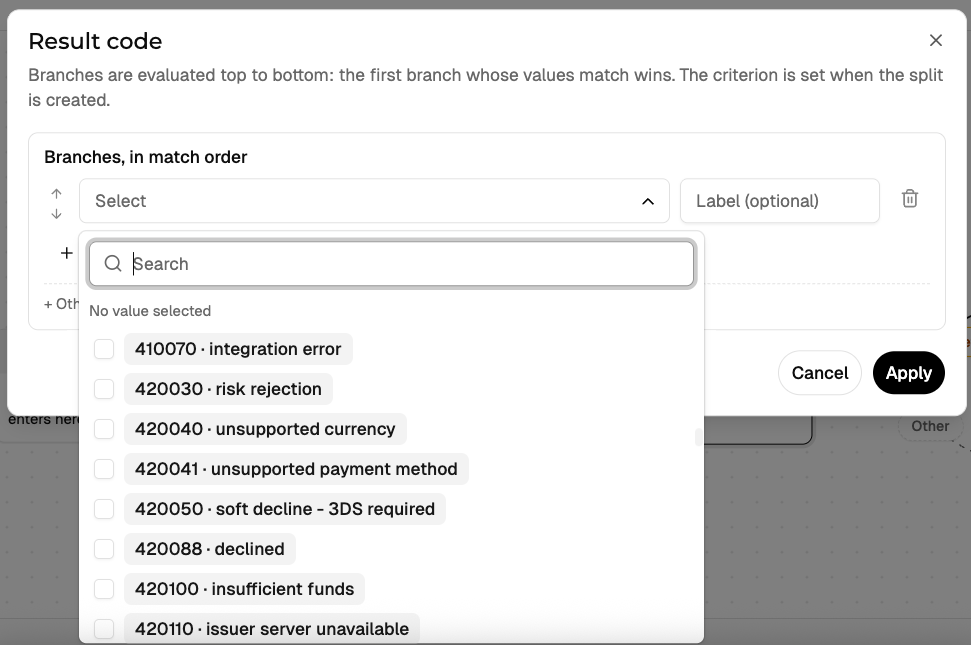
- Add the branches you need, each ending on its own outcome.
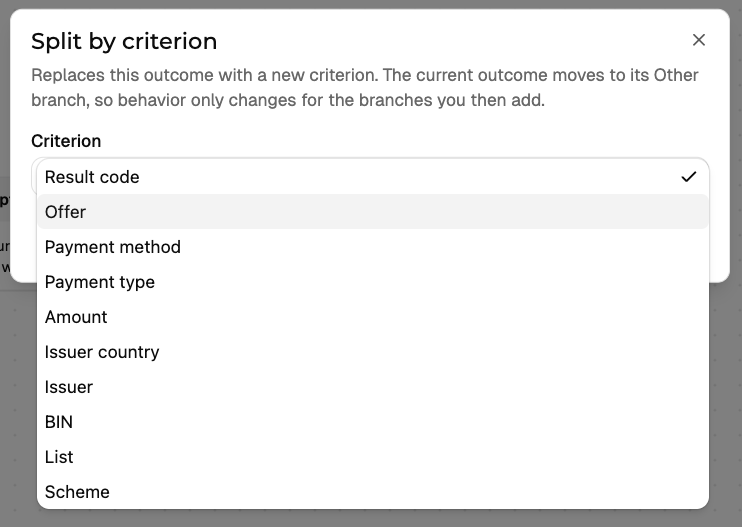
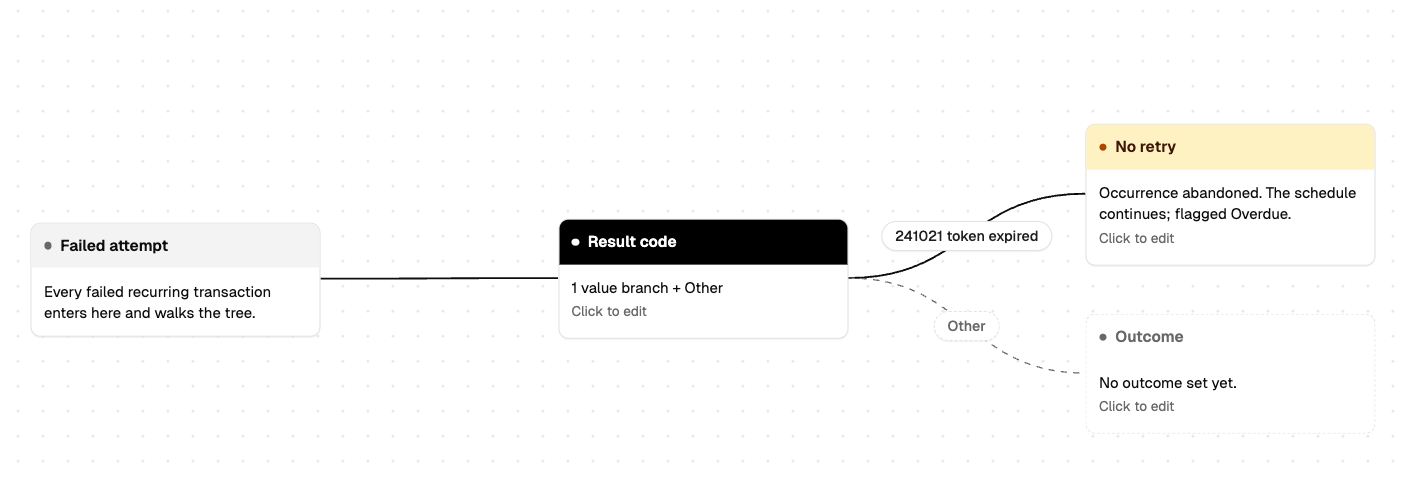
The current outcome moves to the Other branch of the new criterion, so behavior only changes for the branches you add.
The available criteria are: Result code, Offer, Payment method, Payment type, Amount, Issuer country, Issuer, BIN, List and Scheme.
Branch order is match priority. To change it, select the criterion.
Edit and arrange the tree
- Select a criterion, a branch or an outcome to edit it.
- Drag nodes or the background to arrange the view. The layout is not saved.
- The canvas also has a zoom control and a Tidy up button.
Use Save and Publish at the top of the page. Past versions of the tree appear in Version history.
Related pages
Updated about 17 hours ago