
Lists table
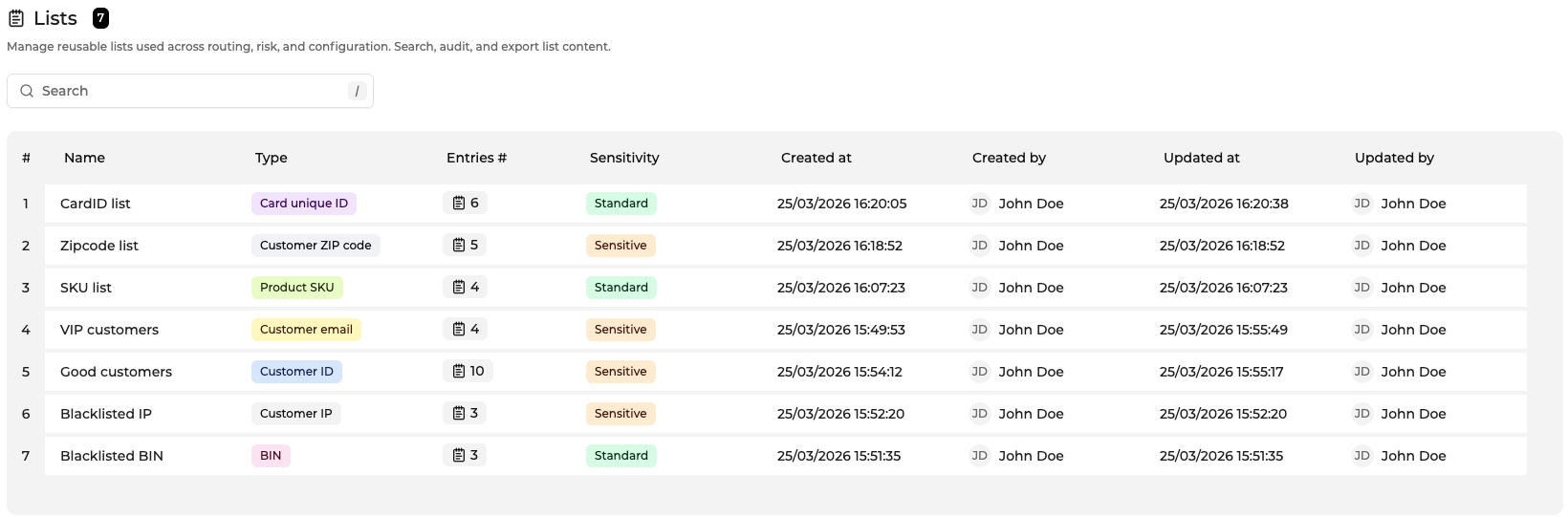
The Lists table displays all lists available within the current company scope. Clicking a row opens the corresponding list in the detail view.
A guided tour is available from the help icon in the top-left corner of the page. The tour introduces the purpose of lists and explains how to create, find, and manage them across the Console.
Columns include:
| Column | Description |
|---|---|
| Company | Company that owns the list |
| Name | Name of the list |
| Type | Entry type used to validate values stored in the list |
| Sensitivity | Indicates whether the list may contain personal data protected by privacy regulations (for example GDPR) |
| Created at | Timestamp of list creation |
| Created by | User who created the list |
| Updated at | Timestamp of the most recent update |
| Entries # | Total number of entries stored in the list |
NOTA: Entry values are not displayed in the Lists table. However, the search function also matches entry values contained in lists. If a searched value exists inside a list, the corresponding list will appear in the results. The entry value itself is never displayed in the table, only the list metadata is shown.
Search → [email protected]
↓
List "Fraud emails" appears
↓
Open list → view entries


Supported list types :
- BIN
- Card unique ID
- Customer email
- Customer ID
- Customer IP
- Customer ZIP code
- Product SKU
Sensitivity levels currently include:
- Standard
Table capabilities
These features include search, sorting, pagination, column configuration, and context menus. For a complete description of table behavior, see Using the Console.
Search
The search bar filters lists dynamically by:
- list name
- entry values contained. in the list
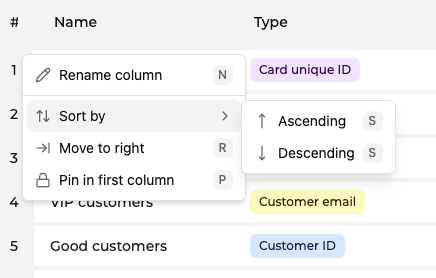
Sorting
Columns can be sorted alphabetically or chronologically.
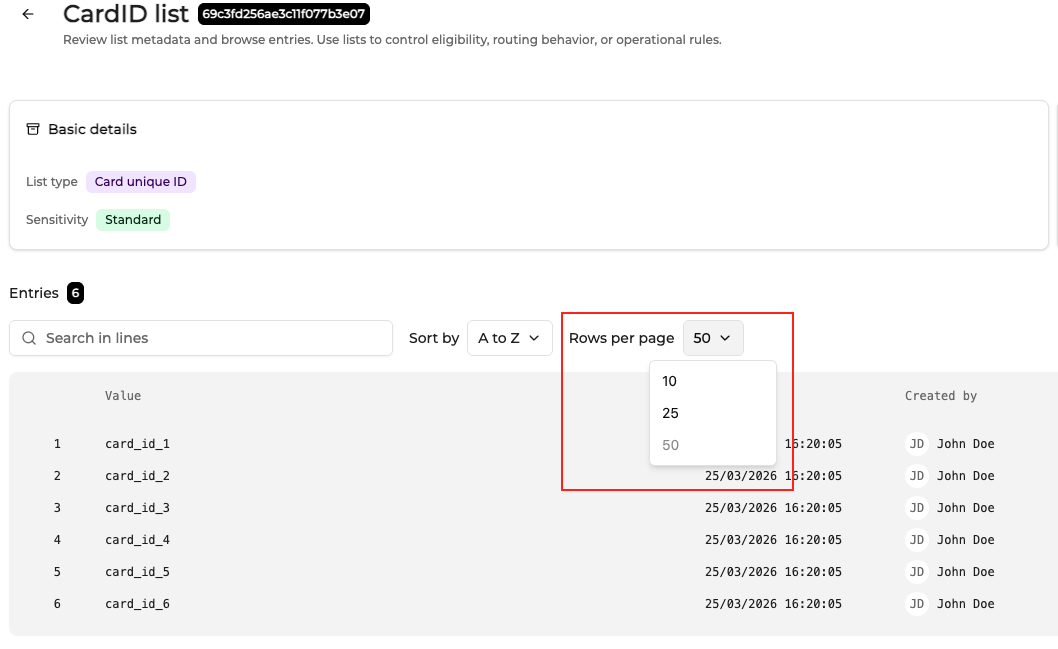
Pagination
Pagination controls allow users to navigate large datasets and configure the number of rows displayed per page.
Updated 26 days ago