
Offers
Define what a customer subscribes to: first payment, billing frequency, first rebill, termination and pause rules.
An offer defines what a customer subscribes to: the first payment, the billing frequency, when the first rebill happens, and the lifecycle and termination rules. Offers live in Subscriptions › Offers.
Create an offer
- Go to Subscriptions › Offers and select Create.
- In Scope, select the Merchant Account the offer belongs to.
- Fill in the Billing, Termination and Lifecycle sections described below. The Upcoming payments panel shows the resulting payment schedule.
- Select Create.
Scope
| Field | Description |
|---|---|
| Merchant Account | Mandatory. Merchant account the offer belongs to. |
Billing
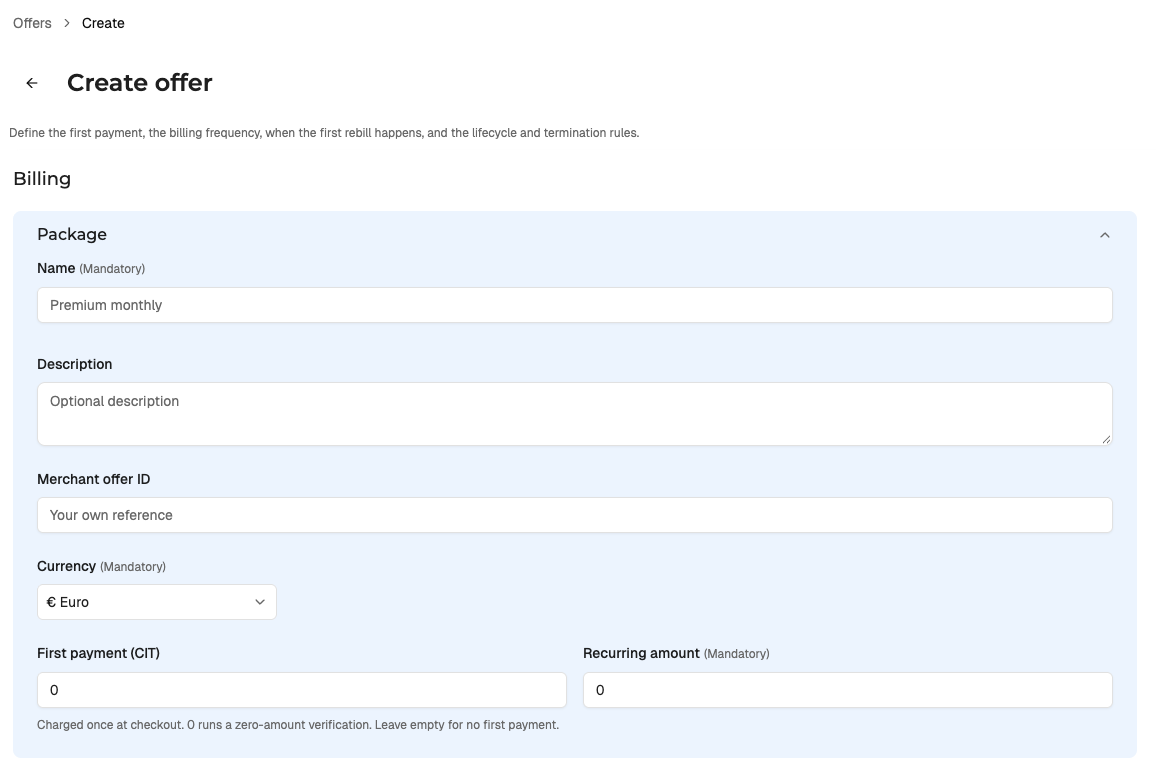
Package
| Field | Description |
|---|---|
| Name | Mandatory. Name of the offer, for example "Premium monthly". |
| Description | Optional description of the offer. |
| Merchant offer ID | Your own reference for the offer. |
| Currency | Mandatory. Currency of the offer. It cannot be changed after the offer is created. |
| First payment (CIT) | Amount charged once at checkout. 0 runs a zero-amount verification. Leave empty for no first payment. |
| Recurring amount | Mandatory. Amount of the rebills (MIT). |
Billing frequency
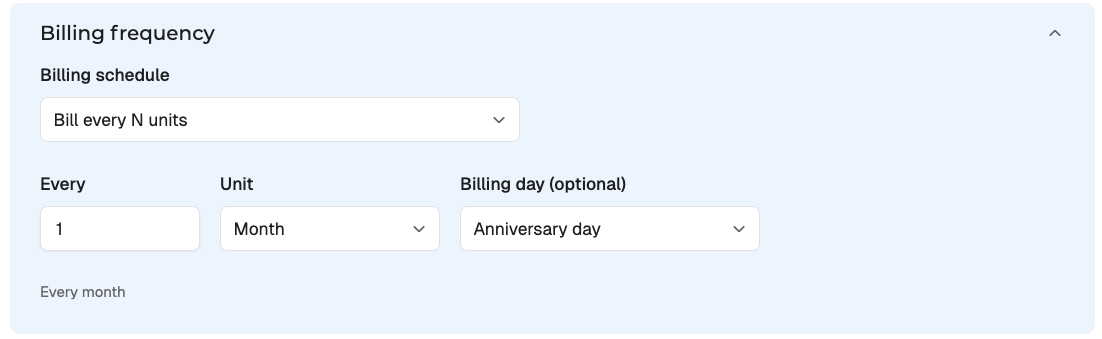
With the Bill every N units billing schedule, you set the interval between two rebills.
| Field | Description |
|---|---|
| Every | Number of units between two rebills. |
| Unit | Unit of the interval, for example Month. |
| Billing day | Optional. Day the rebills fall on. The default is Anniversary day. |
The form sums up your choice under the fields, for example "Every month".
First rebill
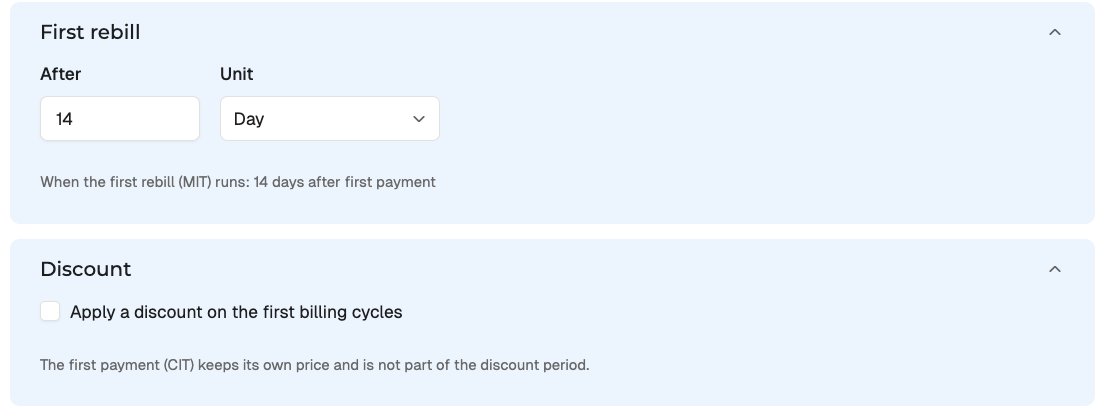
Set when the first rebill (MIT) runs, counted from the first payment, with After and Unit. For example, After 14 and Unit Day: the first rebill runs 14 days after the first payment.
Discount
Turn on Apply a discount on the first billing cycles to discount the first billing cycles. The first payment (CIT) keeps its own price and is not part of the discount period.
Termination
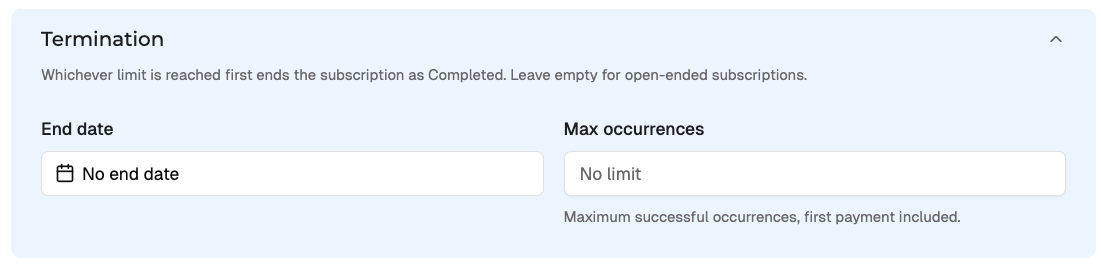
Whichever limit is reached first ends the subscription as Completed. Leave both empty for open-ended subscriptions.
| Field | Description |
|---|---|
| End date | Date the subscriptions of this offer end. The default is No end date. |
| Max occurrences | Maximum number of successful occurrences, first payment included. The default is No limit. |
Lifecycle
Pause
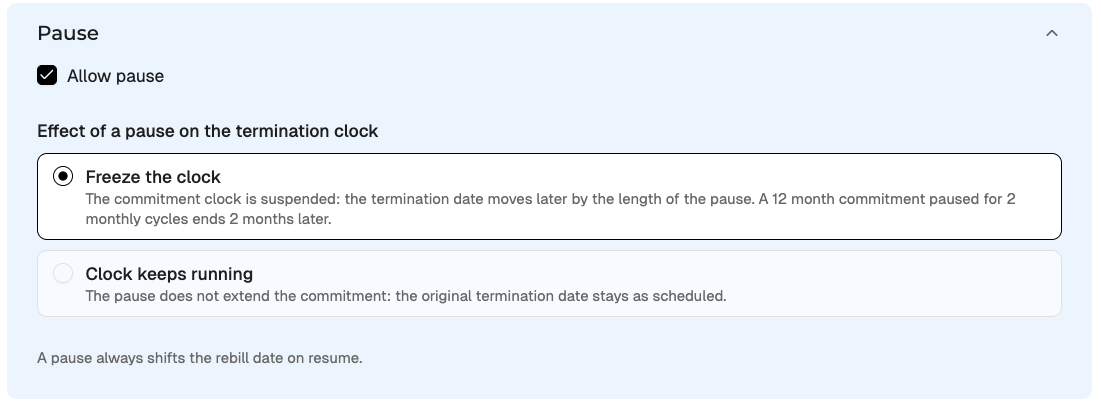
Turn on Allow pause to let subscriptions of this offer be paused, then choose the effect of a pause on the termination clock:
| Option | Effect |
|---|---|
| Freeze the clock | The commitment clock is suspended: the termination date moves later by the length of the pause. A 12-month commitment paused for 2 monthly cycles ends 2 months later. |
| Clock keeps running | The pause does not extend the commitment: the original termination date stays as scheduled. |
A pause skips rebills; it does not shift the calendar. See Subscription lifecycle.
Retry policy
Each offer has a retry policy, used when a rebill fails. See Failed rebills and retries.

Upcoming payments
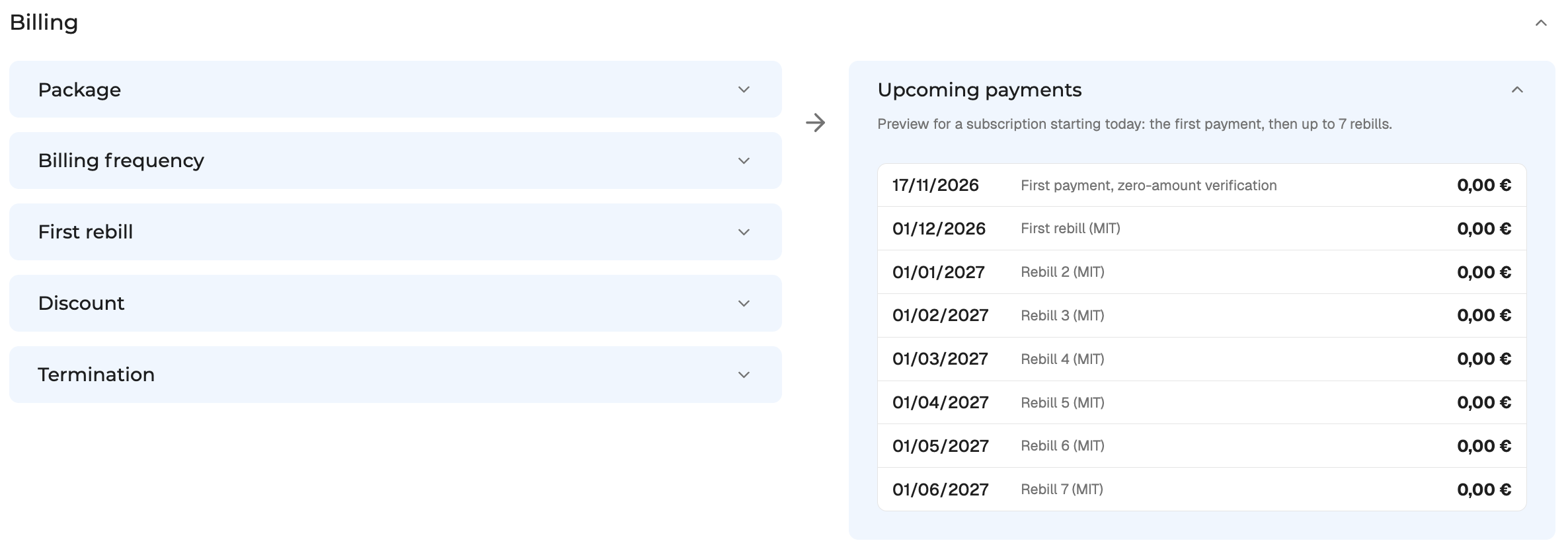
The Upcoming payments panel previews the schedule of a subscription starting today: the first payment, then up to 7 rebills, each with its date, type and amount.
For example, an offer billed every month, with the first rebill 14 days after the first payment and a first payment of 0, previews as follows for a subscription starting on 17/11/2026:
| Date | Payment |
|---|---|
| 17/11/2026 | First payment, zero-amount verification |
| 01/12/2026 | First rebill (MIT) |
| 01/01/2027 | Rebill 2 (MIT) |
| 01/02/2027 | Rebill 3 (MIT) |
When an offer changes during the life of a subscription, the latest version of the offer applies to that subscription.
Related pages
Updated about 17 hours ago