
Optimizer
The Optimizer is a configuration tool that helps you optimize your payment processing strategy. By defining fallback rules, retry limits, and authentication preferences, you can improve approval rates while staying compliant with regulatory requirements such as 3D Secure (3DS) and Strong Customer Authentication (SCA).
The Optimizer consists of 4 main parts: General Settings, SCA Rules & Exemptions, Fallbacks based on authorization results, Fallbacks based on authentication results.
General Settings
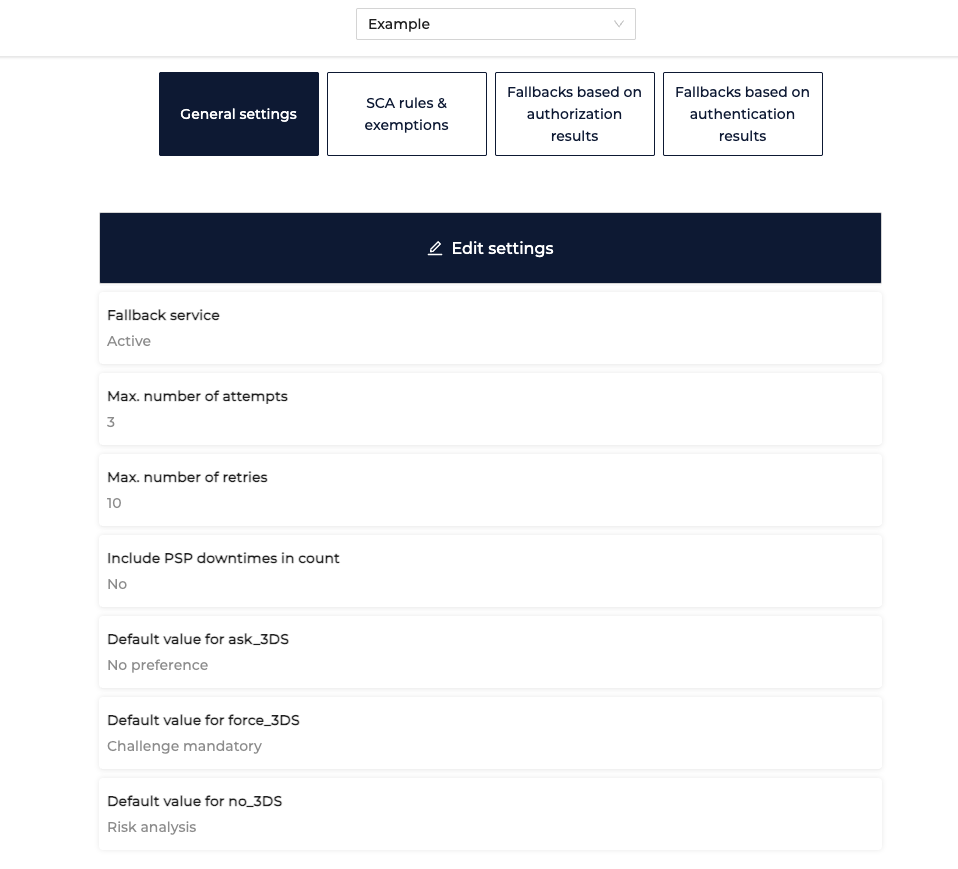
These settings define the baseline behavior of your payment flow:
-
Fallback Service(Yes/No) – enable or disable automatic fallback routing when a transaction attempt fails.
-
Maximum Number of Attempts – limit how many times a transaction can be re-attempted
-
Maximum Number of Retries – define how many retries are allowed (retrying with the same PSP).
-
Default 3DS Authentication Indicators – specify default values for 3DS settings (e.g., whether to request 3DS authentication, attempt frictionless flow, or force challenge). These default values are connected to what you send in the
authentication_indicatorin your requests.
SCA Rules & Exemptions
-
SCA Exemptions – set conditions under which exemptions such as low-value can be applied.
Eg. Request a SCA exemption for a transactions below 30€
-
To add SCA Exemption Rule in the Optimizer:
-
Navigate to SCA Rules & Exemptions
-
Click on Create New SCA rule
-
Give your rule a clear name and a description defining your rule
-
Set rule condition(s): amount, card country, customer ID, customer IP country, customer email, card unique ID, Issuer, product type, scheme, store id
-
Specify a value for the selected condition(s)
-
Select action to perform:
Challenge preference- no preference, challenge mandatory, challenge requested, no challenge
SCA Exemption reason - low value, corporate, trusted beneficiary, risk analysis, delegated authentication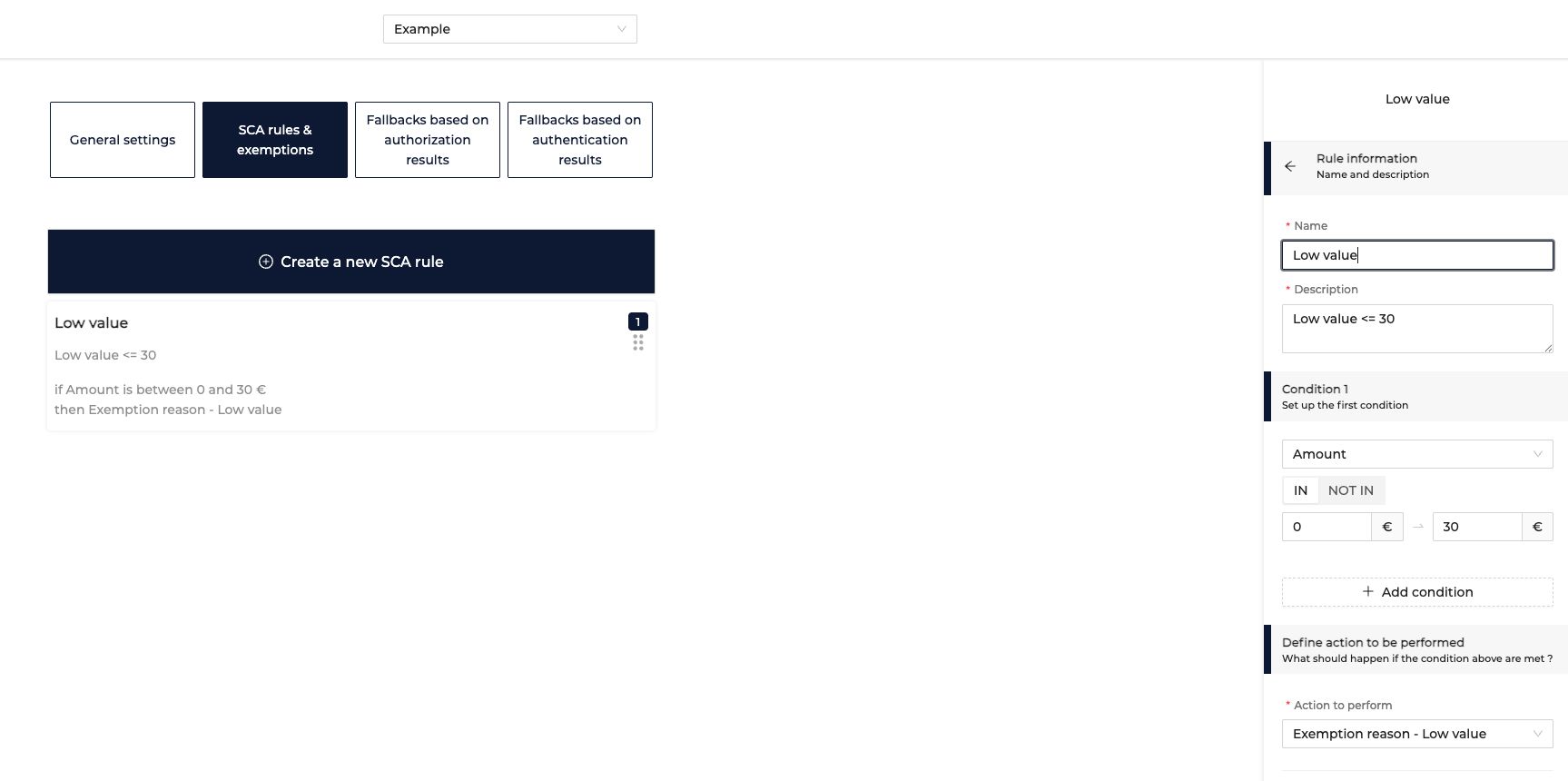
-
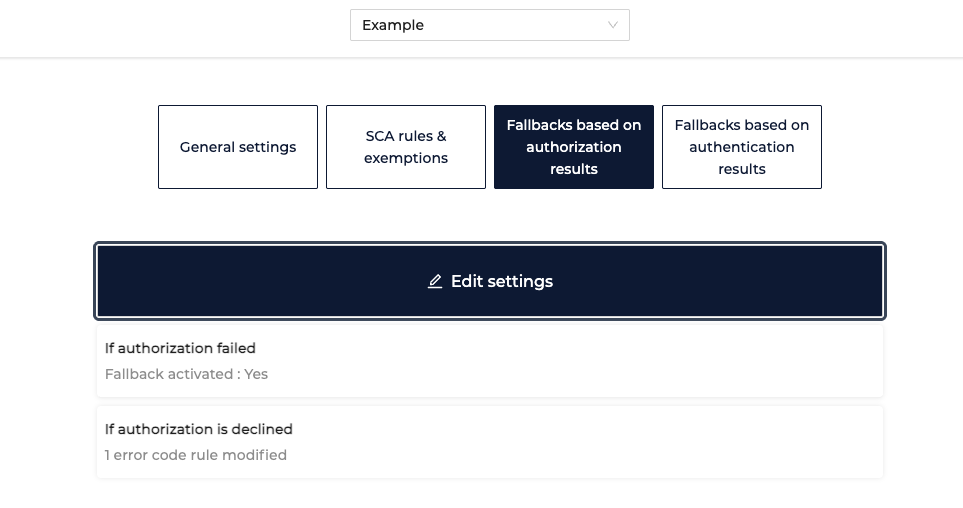
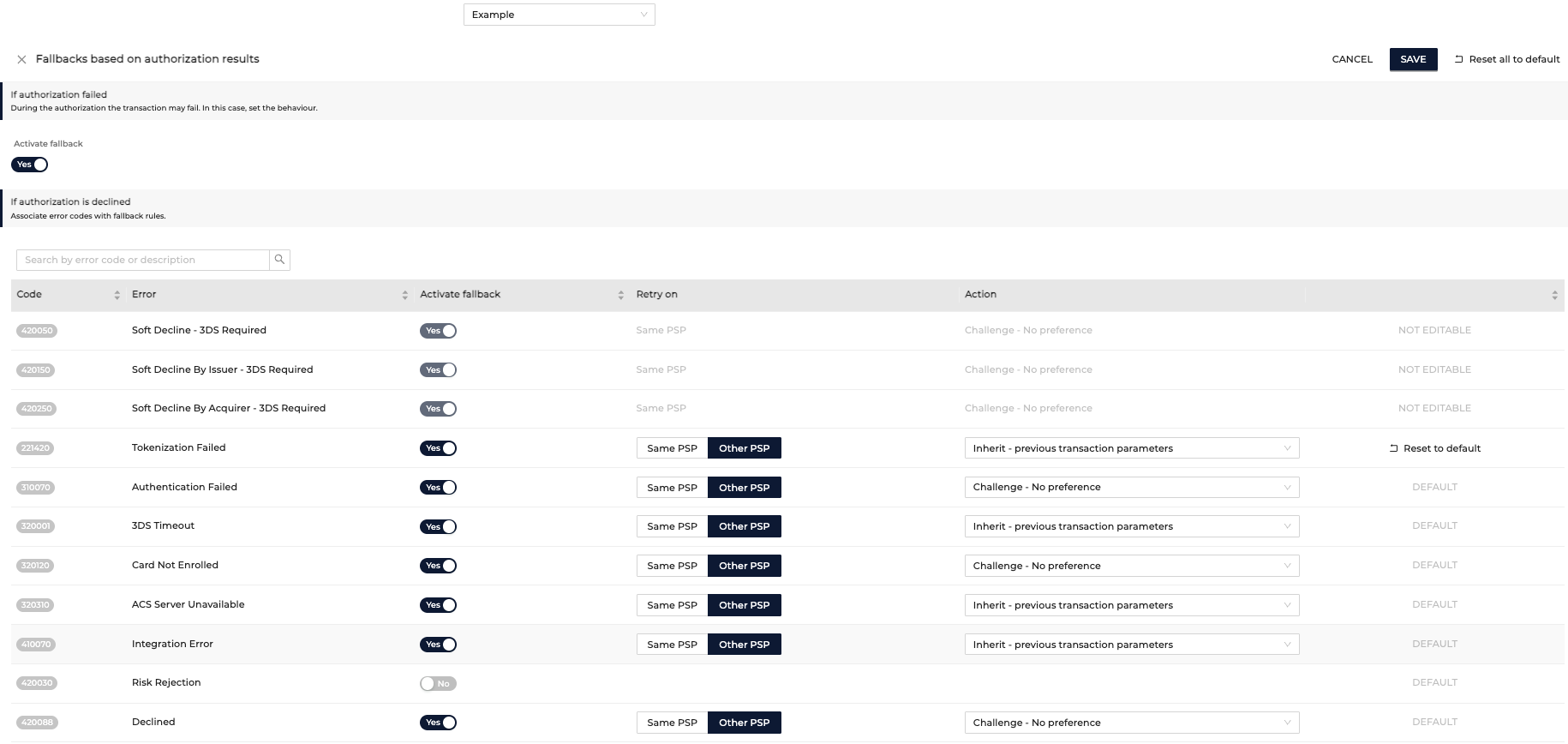
Fallbacks based on authorization results
Based on authorization results you can:
- Decide if the fallback should be activated for a failed authorization
- Specify for which authorization decline code to activate fallback
Fallbacks based on authentication results
Based on authentication results you can:
- Decide if fallback should be activated for a failed authentication
- If the authentication is successful but the 3DSecure data is unusable in a fallback if there should be an attempt , would you like to attempt a non 3DSecure transaction with a TRA exemption.
How Optimizer Works
- A payment request is processed according to your General Settings (attempts, retries, default 3DS behavior).
- If the payment falls under SCA scope, the system applies the configured SCA rules and exemptions.
- Depending on the outcomes, fallback logic is triggered.
The Optimizer ensures your transactions are handled with the right balance of security, compliance, and efficiency, giving you better control over success rates while minimizing friction for your customers.
Updated 11 months ago