
API Keys Table
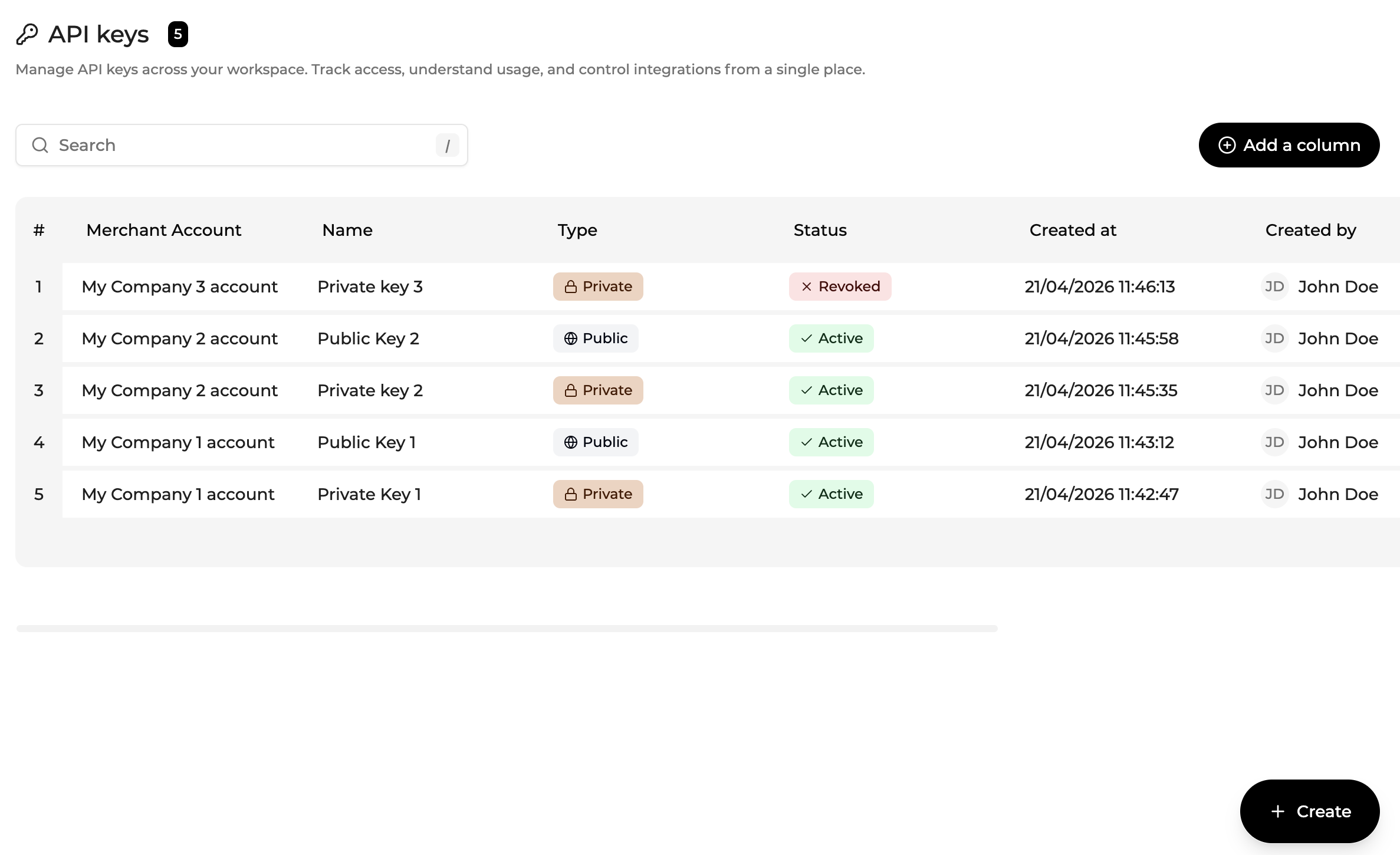
The API Keys table displays all API keys accessible within the current scope.
From the admin view, users can see API keys created across multiple levels:
- Program Manager
- Company
- Merchant Account
This removes the need to use “Connect as” to locate or manage keys in other scopes.
Each row represents one API key.
Columns include
| Column | Description |
|---|---|
| Name | Display the name of the API key |
| Key ID | Unique identifier of the API key |
| Scope | Level at which the key was created |
| Type | Public or Secret key |
| Status | Indicates whether the key is active or revoked |
| Created at | Creation timestamp |
| Created by | User who created the key |
Table capabilities
The API Keys table supports standard Console table features, including:
- Advanced Search
- Sorting
- Pagination
- Column configuration (Add a column)
Advanced Search
The API Keys table uses the new Advanced Search system. Open the panel from the toolbar or press F.
For the full operator reference by field type and Active Filters Bar behavior, see Advanced Search.
Updated about 1 month ago