
Webhooks
Webhooks allow the Console to send operational notifications (events) to an external system.
A webhook endpoint defines where events are sent, which triggers are selected, which headers are included, and which data is included in the payload.
Triggers are grouped by event family: Transaction, Checkout, and Batch.
A single webhook endpoint can receive events from several families on the same target URL when triggers from those families are selected.
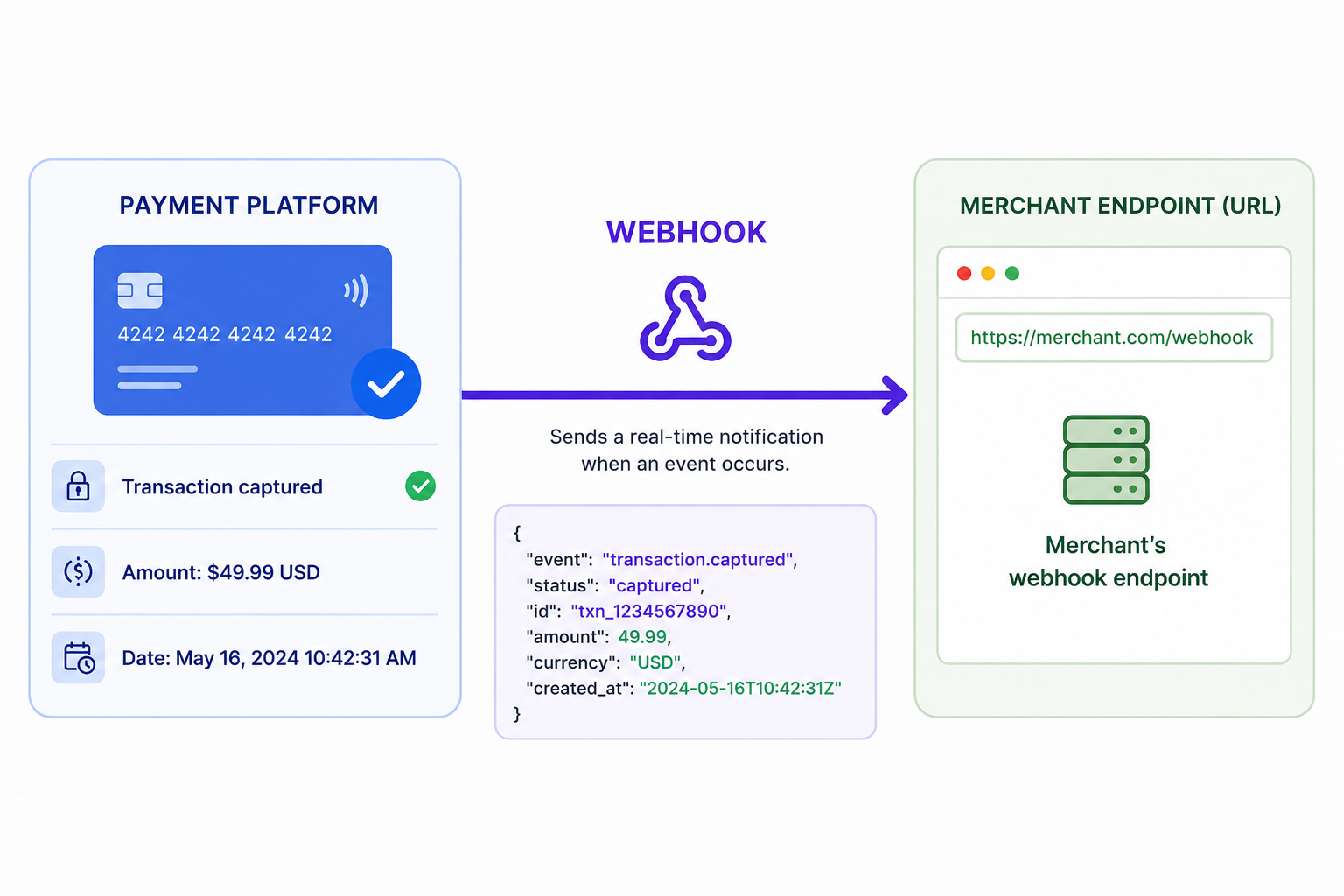
Webhooks are commonly used to connect payment activity with external systems such as:
- merchant back offices
- order management systems
- reconciliation tools
- monitoring systems
This module allows users to create, review, and manage webhook endpoints directly from the Console.
The current version includes:
- direct access to Webhooks from the Console navigation
- configurable headers
- trigger selection grouped by Transaction, Checkout, and Batch event families
- configurable payloads by Transaction, Checkout, and Batch event families
- controlled lifecycle actions such as Activate, Deactivate, and Delete
Console Navigation Model
Objects are accessed through:
- a table view
- a detail page
- an edit page, when the user has the required permissions
The standard navigation flow is: Table → Detail → Edit
The table displays webhook endpoints available within the current scope.
Clicking a row opens the webhook detail page in read-only mode.
If the user has edit permissions, the detail page gives access to edit mode.
No configuration change is applied automatically. Changes are staged locally and only applied after clicking Save.
Access and permissions
Actions shown in the Webhooks module depend on user permissions.
Depending on the user role, the interface may allow:
- viewing webhook endpoints
- creating webhook endpoints
- editing webhook configuration
- activating or deactivating a webhook
- deleting a webhook
If an action is not available to the user, it is not displayed.
Updated about 1 month ago