
Gocardless
This guide will walk you through the process of activating GoCardless on NORBr.

Step 1: Contract signature
Sign a contract with Gocardless.
Step 2: Account creation
Once your GoCardless account is created, you will gain access to the back office: https://manage.gocardless.com/
Step 3: Activate your NORBr merchant contract
Here are the necessary steps to activate your NORBr merchant contract:
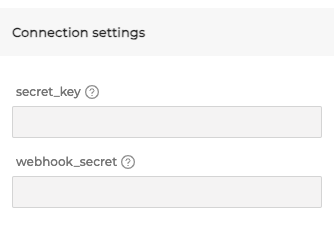
Secret Key and Webhook secret
1 - Navigate to “Developpeurs” or directly on the URL : https://manage-sandbox.gocardless.com/developers
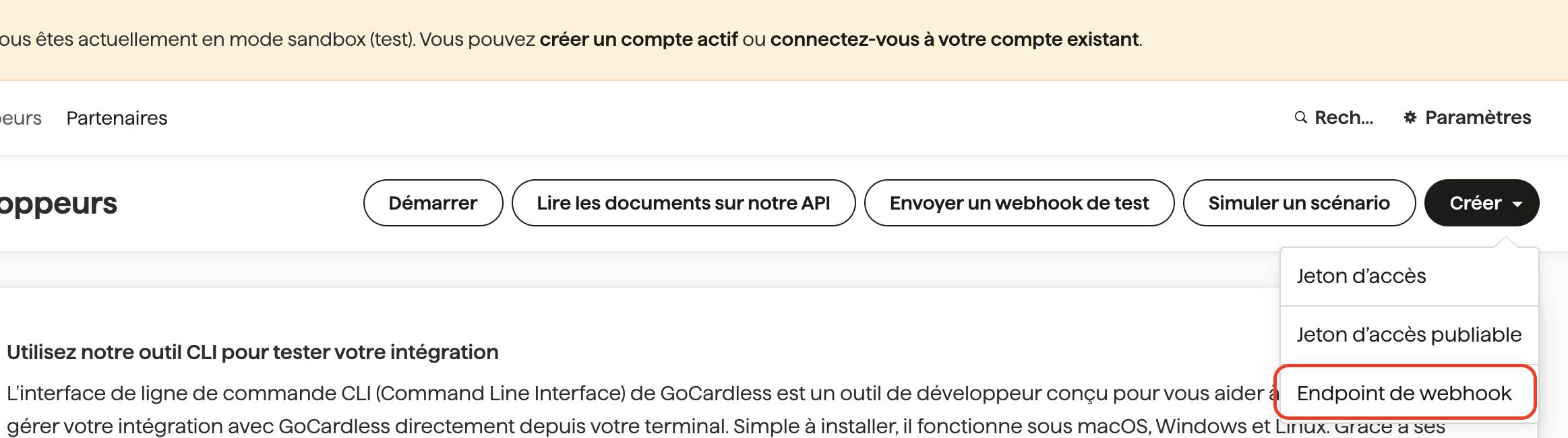
2 - Locate the “Créer” button on the top right :

3 - Click on the button and then on “Jeton d’accès”

4- Fill out the form with a name you choose and select “Accès en mode lecture et écriture”
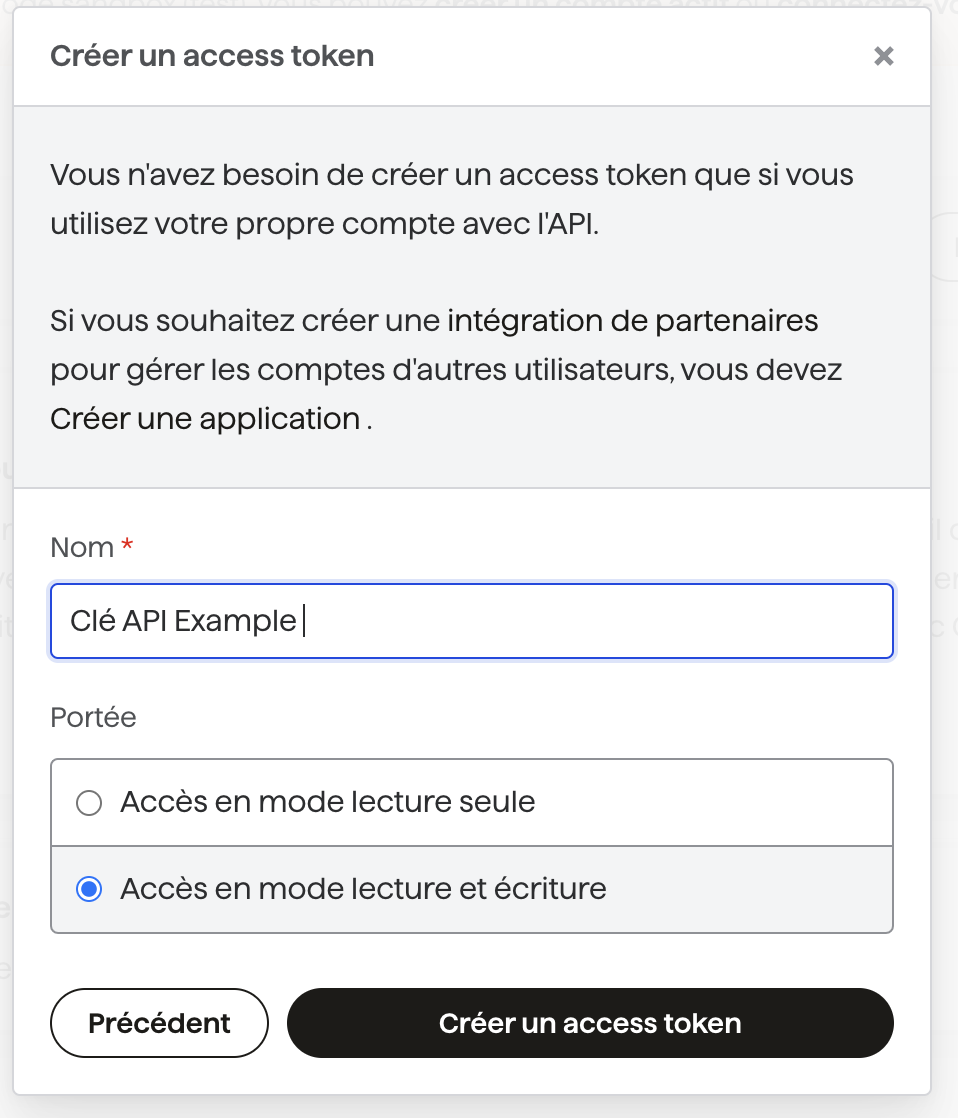
5 - Get the value, it will only be display once :
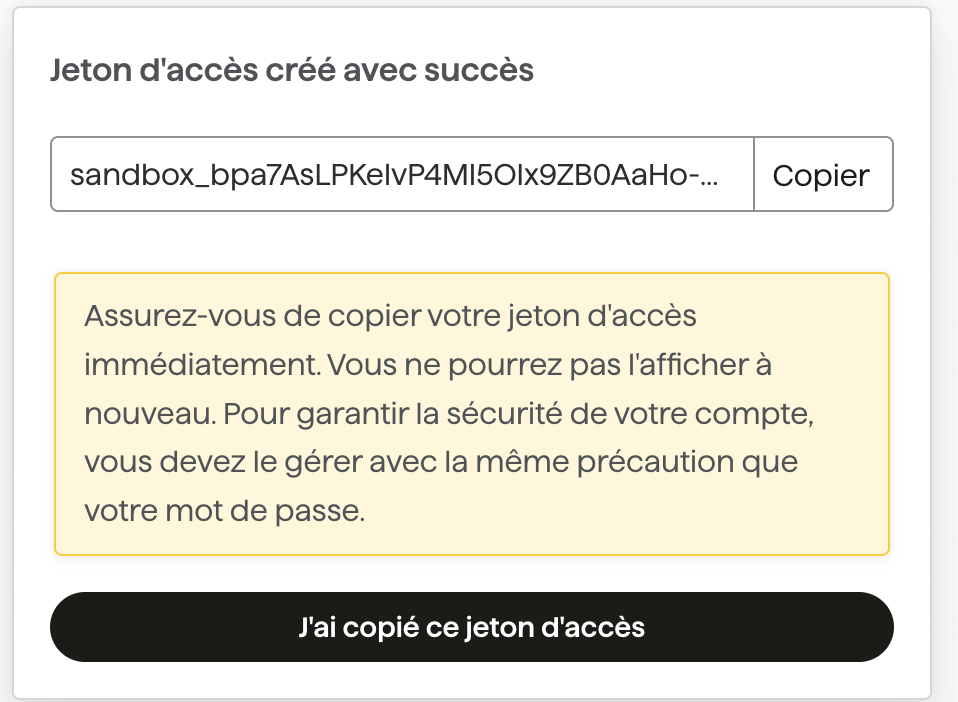
6 - Configure your webhook here :
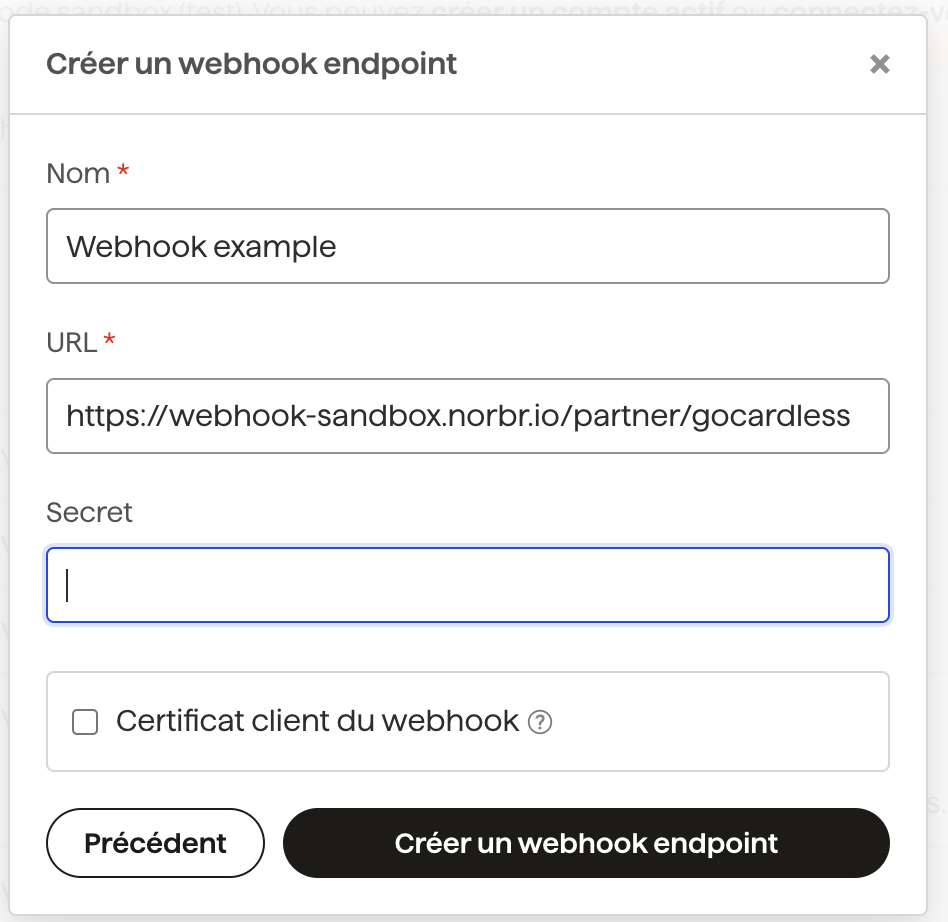
7 - Fill out the form with the following informations :
- Sandbox: https://webhook-sandbox.norbr.io/partner/gocardless
- Production: https://webhook.norbr.io/partner/gocardless
Keep the secret field empty and then click on “Créer un webhook endpoint” :
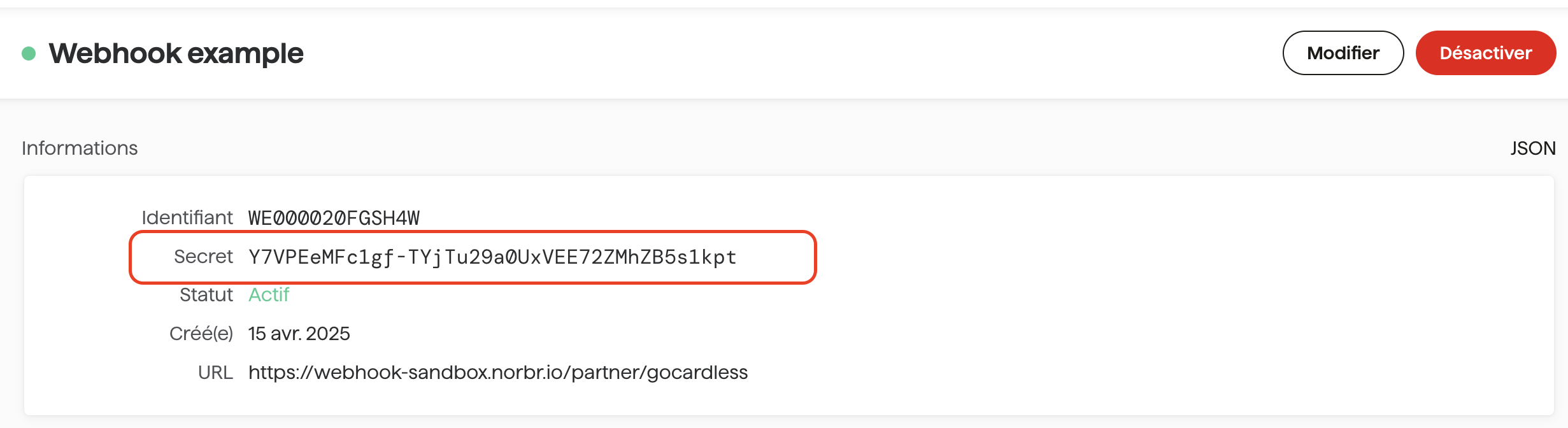
Then go the webhook created to get the webhook secret :
Updated about 1 month ago