
Rapyd
This guide will walk you through the process of activating Rapyd on NORBr.

Step 1: Contract signature
Sign a contract with Rapyd, and get access to the back office.
Step 2: Retrieve your credentials from the back office
Connect to the interface https://dashboard.rapyd.net/ and go to Developer section from the side bar where you find Access key and Secret key under the API access control.
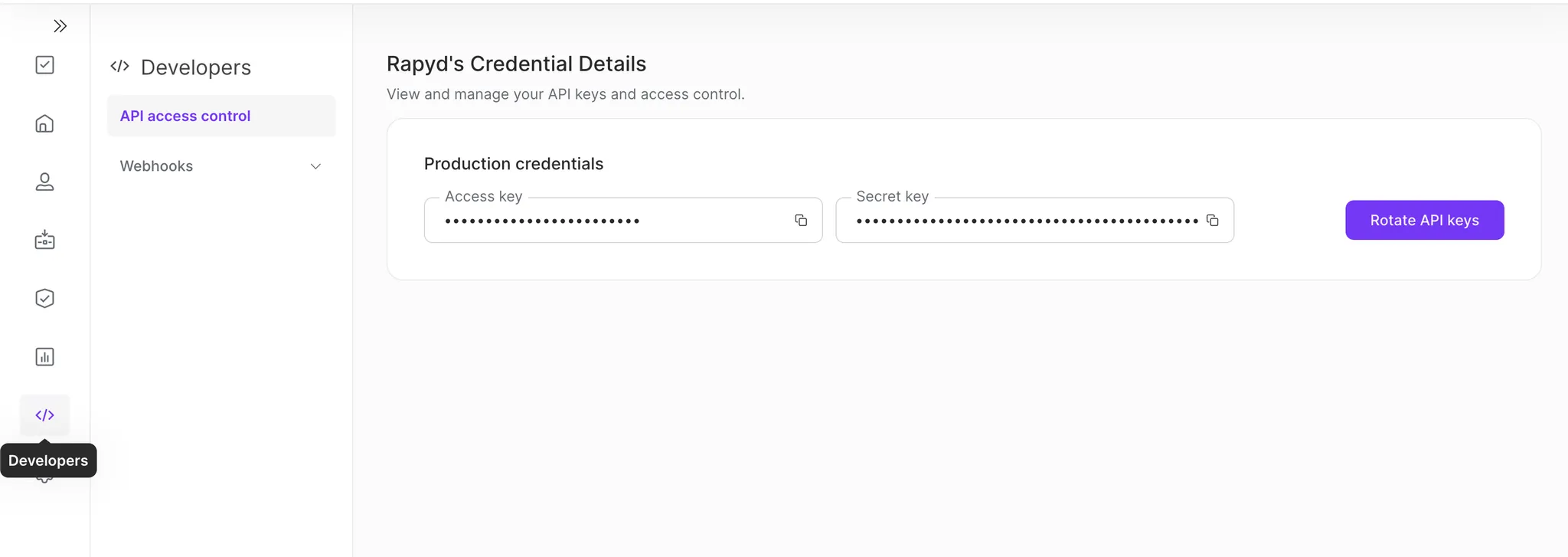
Copy the access key and secret key by clicking on the clipboard icons. paste the values respectfully in your merchant contract.
NB: pressing Rotate API keys will generate new credentials and cancel the old ones.
Step 3: Setup the webhook url
while in the developer section of the backend, click on webhooks and set up the following webhooks
- For Sandbox environment: https://webhook-sandbox.norbr.io/partner/rapyd
- For Production environment: https://webhook.norbr.io/partner/rapyd
Step 4: Add a Contract to your Merchant Account
-
Log into your Merchant Account.
-
Navigate to Contracts in the left navigation. Select + Create to add a new contract.
-
Select the Merchant Account you want to link to the contract
-
From the provider drop-down list, select Rapyd.
-
Settlement currency: select from the drop-down menu. You will only see the available ones.
-
Give your contract a name for easier identification: eg. PSP name.
-
Operational configuration (authentication, risk assessment, network tokenization) : leave without changes
-
Select your sales channels and add payment methods. Once added, you can specify the authorization currency and the sales channels for each payment method.
To activate a payment method with Rapyd, you will need your access_key, secret_key and merchant_country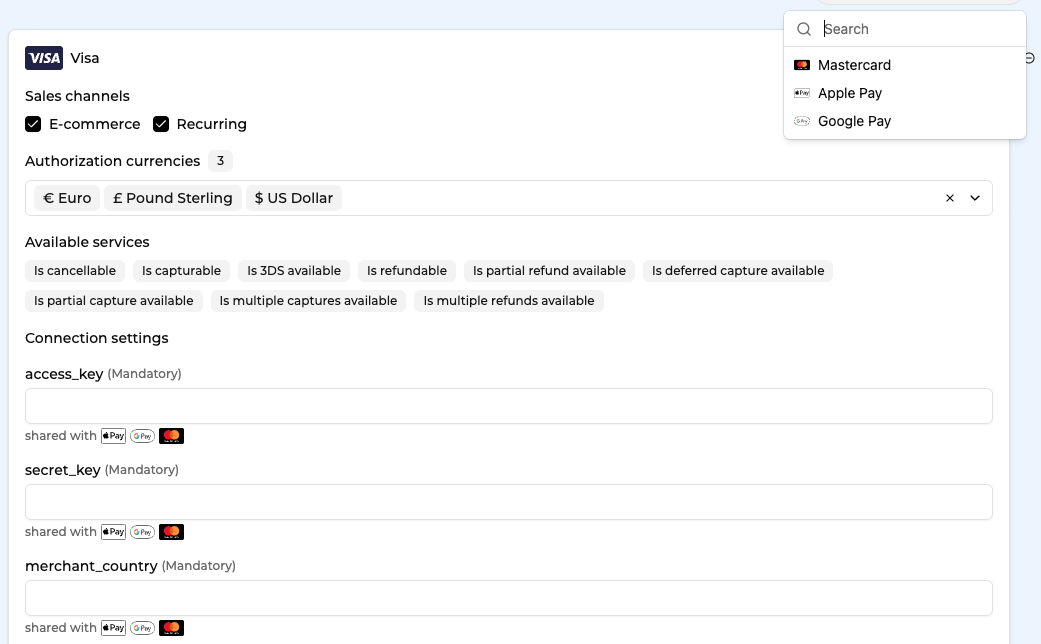
-
Exclusion rule : Set up your exclusion rule if you have one. This section lets you define a condition under which this contract will not be used for routing.
-
Once you have filled in the credentials, select Save, then select Publish to make the contract operational.
Test cards
4111111111111111
4462030000000000
Use these two cards for successful tests with any combination for CVC and any future expiry date
Updated about 1 month ago