
Configure & Customize Webhooks
What are webhooks?
Webhooks are how our platform keeps your system in the loop.
Whenever something important happens in the payment flow (like a successful charge, a refund, a failure, etc.), we send a notification to your configured webhook endpoint. This allows your backend to react instantly and stay in sync with the latest transaction events.
Webhooks are essential for automation. Think of it as our way of giving your system a heads-up — the moment it matters.
How to configure webhooks in your account?
You can create webhooks directly in your account as follows:
-
Log into your merchant account.
-
On the left-hand sidebar navigate to Integration - Webhooks section.
-
Select Create your first Webhook
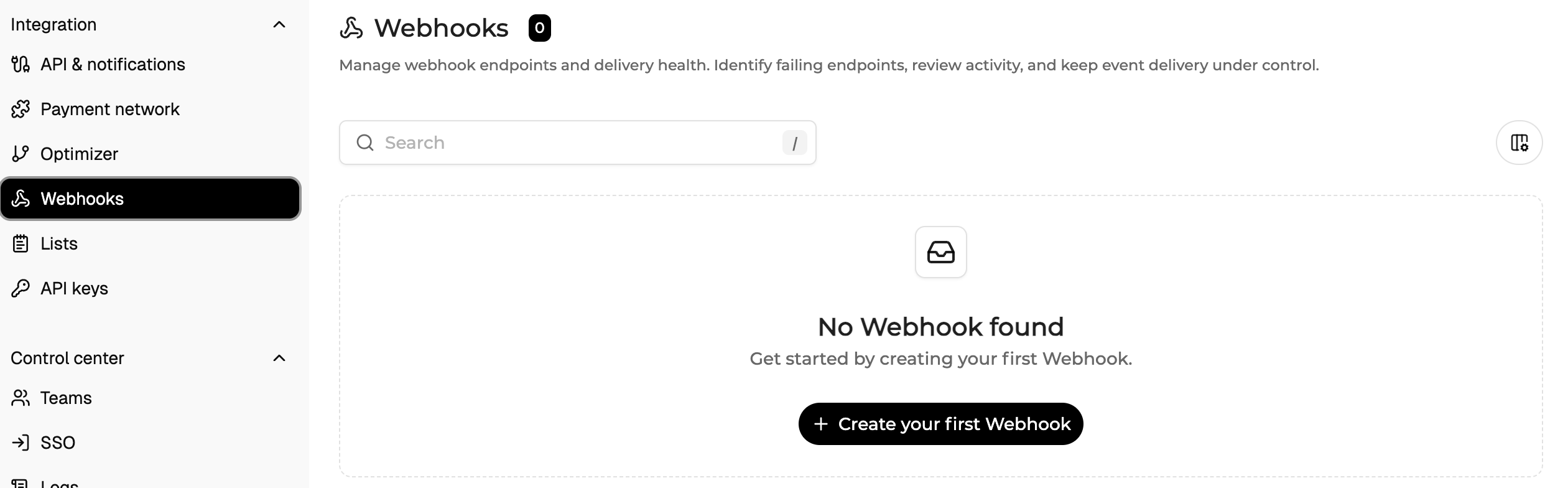
-
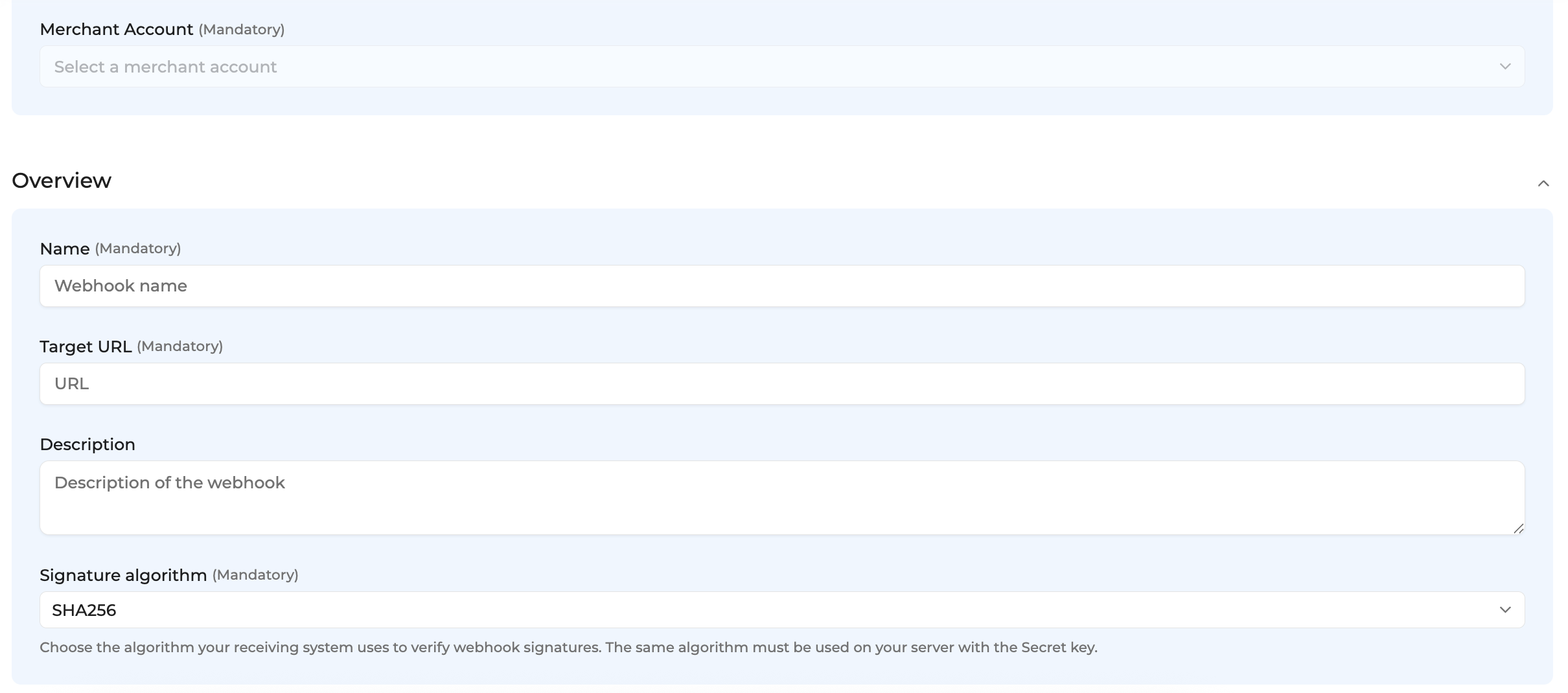
You will land on the Webhook configuration page where you need to fill in certain information and can customize your webhook payload.
Basic information:
- Select a merchant account
- Give your webhook a name
- Provide the target URL - the one where notifications will be received
- Select signature algorithm - by default SHA256
- You can optionally add custom headers and a description

Triggers:
-
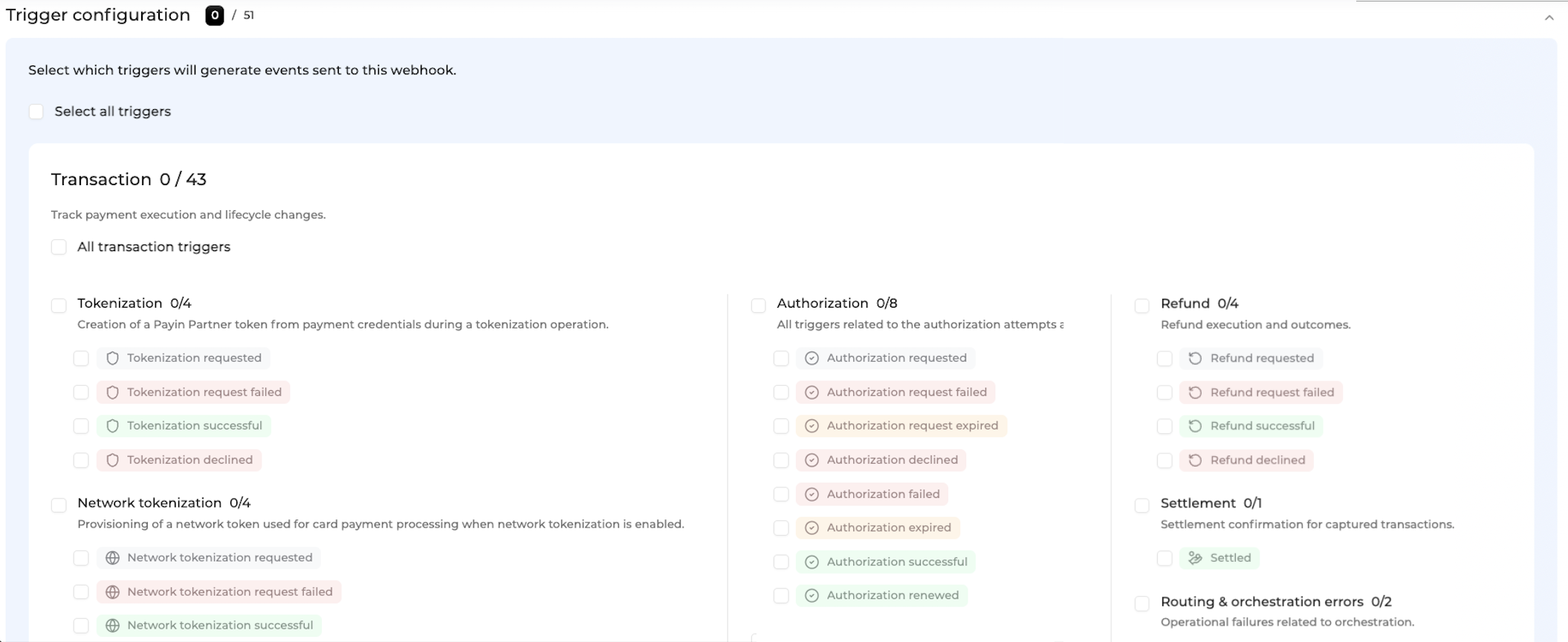
Configure trigger events. You will find a full trigger events list and recommendations below._**
-
There are 4 types that you can use: Transaction, Checkout, Batch and Finance
Transaction type informs you about payment execution and its lifecycle changes. This is the most common type to use as it allows you to receive transaction status updates. Checkout type informs you about checkout changes if apply. Batch type allows you to monitor grouped processing activity if relevant.
Finance type informs about lifecycle events after payment execution, settlement, or financial reconciliation.
Each type has set of events unique for that type. If you are not sure which events are the most relevant for you integration type, please contact Support.
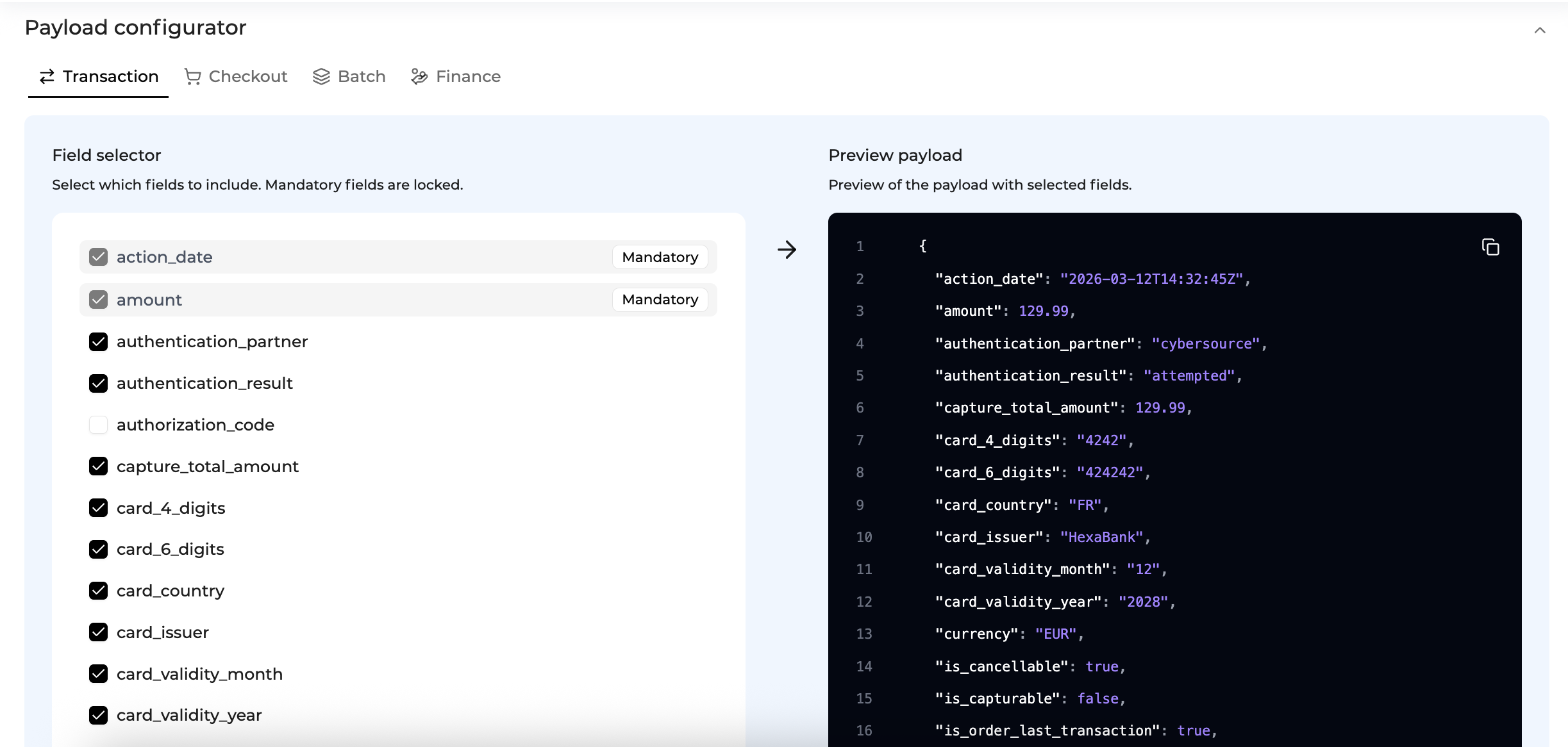
Payload Configurator
- Check the default payload for you webhook, for each type (Transaction, Checkout, Batch, Finance)
- Add or remove fields in the payload as needed
Once this step has been completed, proceed to Create button in the top right corner. When it's first created, you will see it as a draft version. To publish it, press on Edit and Publish


Before it can be published, you will be asked to send a test, synthetic event to test the endpoint. If the test is successful, you will be able to publish the webhook.
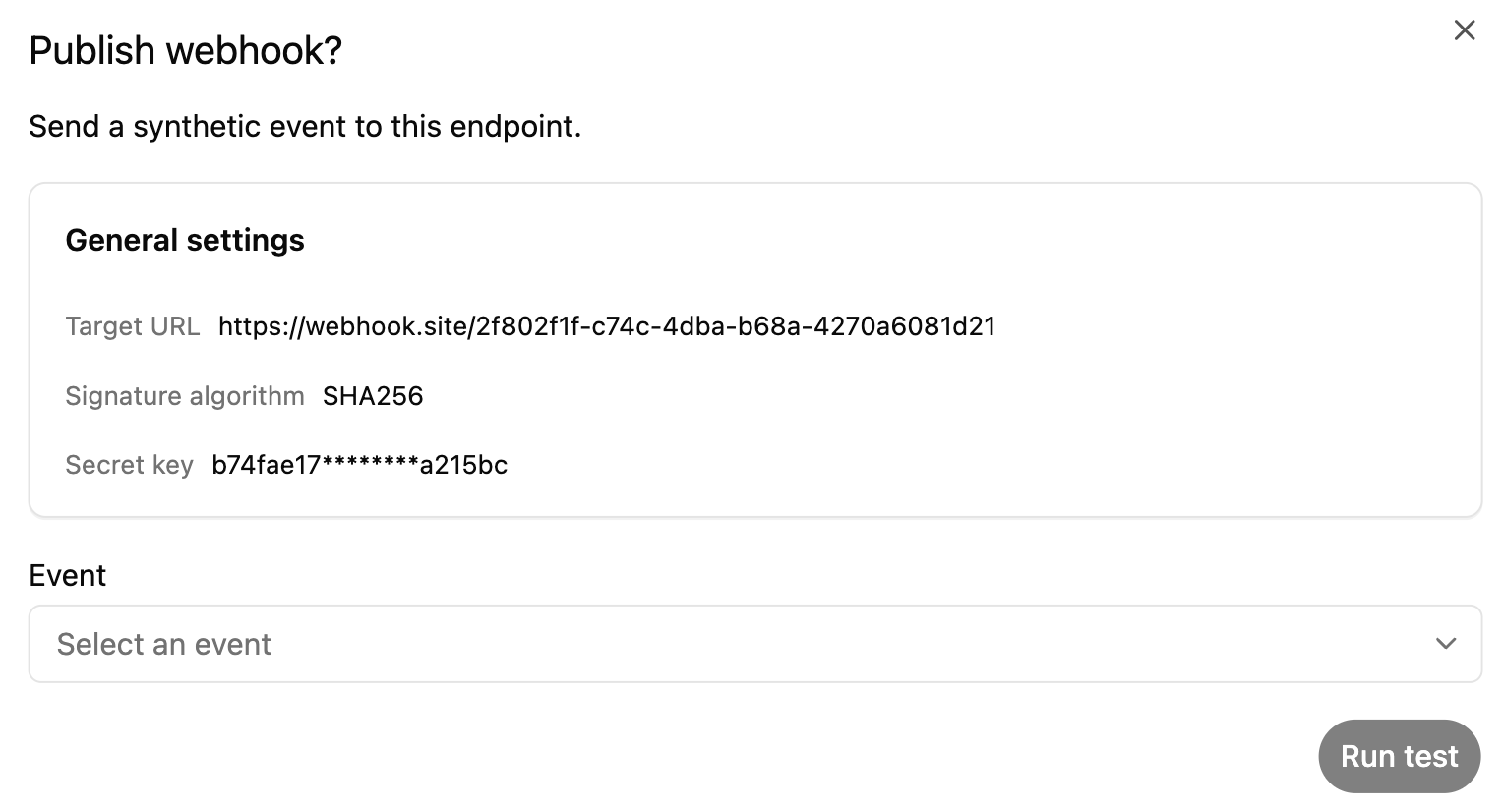
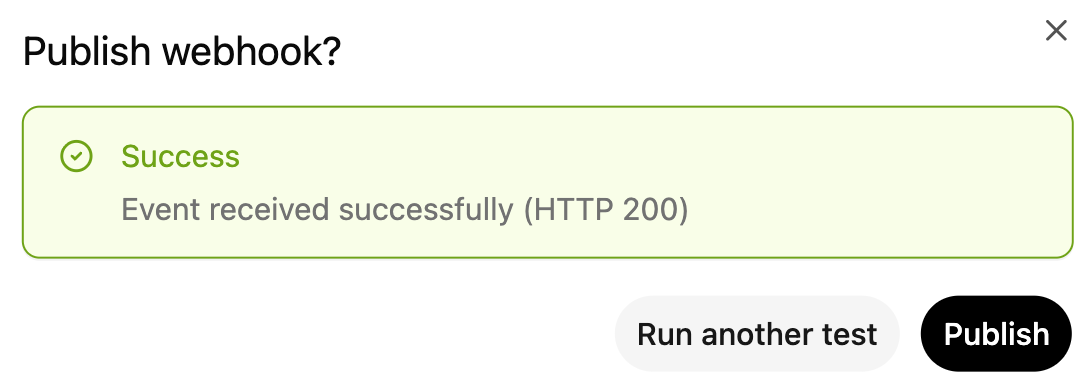
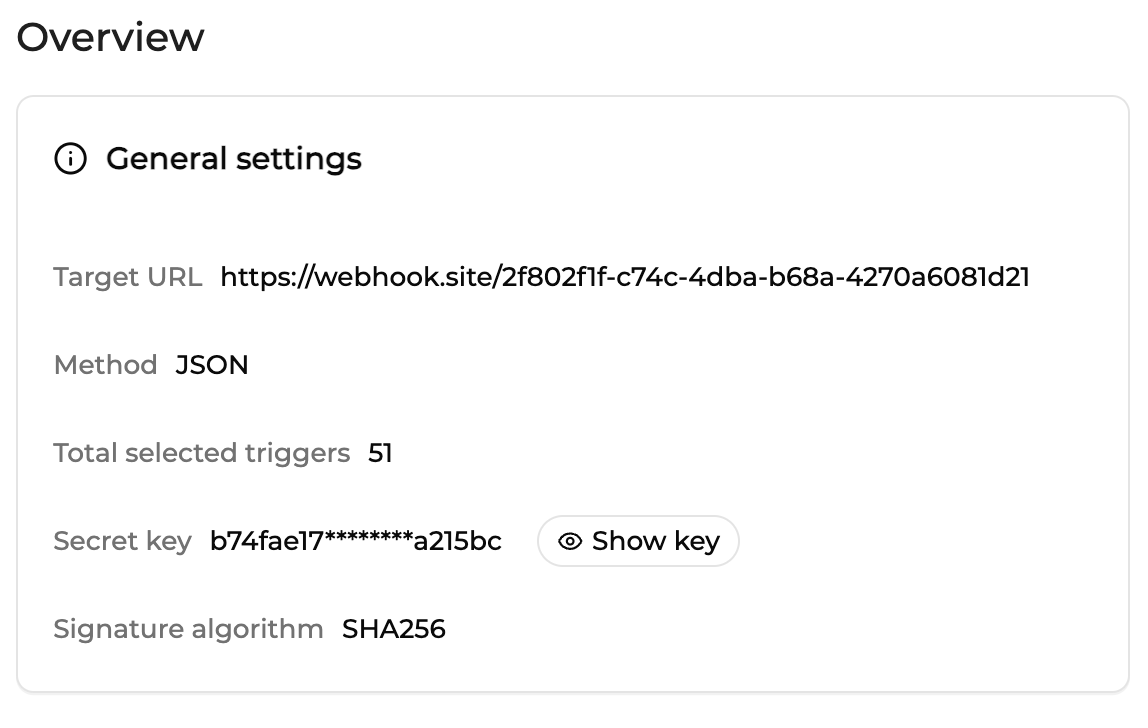
When you webhook is created, in its details, in the overview, you will find the (masked)secret key needed for the technical configurationon your end.
Full list of available webhook events and recommendation
| Category | Trigger | Recommended |
|---|---|---|
| Checkout | Checkout created | |
| Checkout | Checkout pending | |
| Checkout | Checkout completed | ✅ |
| Checkout | Checkout expired | |
| Checkout | Checkout cancelled | |
| Batch | Batch created | |
| Batch | Batch finished | ✅ |
| Tokenization | Tokenization requested | |
| Tokenization | Tokenization request failed | |
| Tokenization | Tokenization successful | ✅ |
| Tokenization | Tokenization declined | |
| Network tokenization | Network tokenization requested | |
| Network tokenization | Network tokenization request failed | |
| Network tokenization | Network tokenization successful | |
| Network tokenization | Network tokenization declined | |
| Authentication (3DS / SCA) | Authentication requested | |
| Authentication (3DS / SCA) | Authentication request failed | |
| Authentication (3DS / SCA) | Authentication request expired | |
| Authentication (3DS / SCA) | Authentication attempted | |
| Authentication (3DS / SCA) | Authentication declined | |
| Authentication (3DS / SCA) | Authentication successful | |
| Authorization | Authorization requested | |
| Authorization | Authorization request failed | |
| Authorization | Authorization request expired | |
| Authorization | Authorization declined | |
| Authorization | Authorization failed | |
| Authorization | Authorization expired | |
| Authorization | Authorization successful | ✅ |
| Authorization | Authorization renewed | |
| Capture | Capture requested | |
| Capture | Capture request failed | |
| Capture | Capture successful | ✅ |
| Capture | Capture declined | ✅ |
| Refund | Refund requested | |
| Refund | Refund request failed | |
| Refund | Refund successful | |
| Refund | Refund declined | ✅ |
| Settlement | Settled | ✅ |
| Routing & orchestration errors | Blocked by router | |
| Routing & orchestration errors | Route not found | ✅ |
| Finance | Operation settled | ✅ |
Examples
Below you will find some Webhooks samples for the following events: authorization_successful, capture_declined, refund_declined, route_not_found.
{
  "status": "authorization_successful",
  "amount": 35,
  "currency": "USD",
  "merchant_account": "615371bef73714000bc978c5",
  "authentication_partner": "partnername",
  "authentication_result": "accepted",
  "payin_partner": "partnername",
  "risk_assessment_partner": "partnername",
  "risk_assessment_result": null,
  "order_id": "687368f051cc140fa87ed132",
  "customer_zip_code": null,
  "token": "a54c0064c83d35d588a4dbdcd0db386bf86f83940f34b05501149f06bfd7ed2f",
  "is_order_last_transaction": true,
  "card_6_digits": "411111",
  "card_4_digits": "1111",
  "card_issuer": "CONOTOXIA SP. Z O.O",
  "card_country": "PL",
  "card_validity_month": "03",
  "card_validity_year": "29",
  "request_id": "687368f951cc140fa87ed162",
  "transaction_id": "687368f051cc140fa87ed133",
  "merchant_order_id": "b4912b7f-8223-4bdf-80fd-cd292857e8c8:",
  "merchant_contract_id": "662a3d2ec23528a64c1677fb",
  "action_date": "2025-07-13T08:06:17.972Z",
  "payin_transaction_id": "XZZ02e2c592882f594D3FTZFTITW5H63",
  "payin_transaction_description": "Approved or completed successfully",
  "payment_method": "visa",
  "capture_total_amount": 0,
  "refund_total_amount": 0,
  "is_capturable": true,
  "is_refundable": false,
  "is_cancellable": true,
  "link_interface": "https://merchant-sandbox.abcompany.com/brainpower/orders/687368f051cc140fa87ed132"
}
{
"request_id": "672cc6fe149e8e04ad2baa8a",
"order_id": "672cc6e1149e8e04ad2ba606",
"transaction_id": "672cc6e1149e8e04ad2ba608",
"merchant_order_id": "583b9ed0-c463-4d25-a5d2-c98f0ed3b57c",
"merchant_contract_id": "66c8a0eafe3f34c573bfa7a4",
"status": "capture_declined",
"action_date": "2024-11-07T13:56:14.709Z",
"amount": 100,
"payin_partner": "partnername",
"payin_transaction_id": "993C4FC90B6A4D22B1D4E6F9B8B82FA3",
"payin_transaction_description": "Validation failure: No primary action specified. Please specify 1 primary action., No valid subscription found for service 'payconiq'.",
"authentication_partner": null,
"authentication_result": null,
"risk_assessment_partner": "partnername",
"risk_assessment_result": null,
"payment_method": "payconiq",
"capture_total_amount": 0,
"refund_total_amount": 0,
"currency": "EUR",
"is_capturable": false,
"is_refundable": false,
"is_cancellable": false,
"link_interface": "https://merchant-sandbox.abcompany.com/brainpower/orders/672cc6e1149e8e04ad2ba606",
"card_6_digits": null,
"card_4_digits": null,
"card_validity_month": null,
"card_validity_year": null,
"card_issuer": null,
"card_country": null,
"merchant_account": "64abc8a3d2b7f2007e7c30bb",
"token": null,
"is_order_last_transaction": true
}{
"request_id": "662b74ed9087b43160e6606b",
"order_id": "662b74d39087b43160e66005",
"transaction_id": "662b74d39087b43160e66007",
"merchant_order_id": "560027e8-5429-44bf-abd1-702113435370",
"merchant_contract_id": "655624f3a89ee731f832ae3a",
"status": "refund_declined",
"action_date": "2024-04-26T09:33:34.822Z",
"amount": 16,
"payin_partner": "partnername",
"payin_transaction_id": "pi_3P9l9UD1ZswKcVpZ041WiG4U",
"payin_transaction_description": null,
"authentication_partner": "partnername",
"authentication_result": "attempted",
"risk_assessment_partner": "partnername",
"risk_assessment_result": "accepted",
"payment_method": "cb",
"capture_total_amount": 16,
"refund_total_amount": 0,
"currency": "EUR",
"is_capturable": false,
"is_refundable": true,
"is_cancellable": false,
"link_interface": "https://merchant-sandbox.abcompany.com/brainpower/orders/662b74d39087b43160e66005",
"card_6_digits": "400000",
"card_4_digits": "7726",
"card_validity_month": "12",
"card_validity_year": "25",
"card_issuer": "issuername",
"card_country": "US",
"merchant_account": "64abc8a3d2b7f2007e7c30bb",
"token": "4c341adb52ff58d87fc6f74a9677a83c3abbc2d94c44debaedc246c3a3d5f08a",
"is_order_last_transaction": true
}{
"status": "route_not_found",
"amount": 13.13,
"currency": "EUR",
"merchant_account": "65d700586d4a8d7e7f26d039",
"authentication_partner": null,
"authentication_result": null,
"payin_partner": "partnername",
"risk_assessment_partner": null,
"risk_assessment_result": null,
"order_id": "686689ecdb942acb6dc16b9c",
"token": "1c75d1abb377c6e94e6ad75eb91b8c622cdb3d4ff1456375a7ea3411224ae189",
"is_order_last_transaction": true,
"card_6_digits": "406742",
"card_4_digits": "9265",
"card_issuer": "issuername",
"card_country": "FI",
"company_result_code": "404000",
"company_result_description": "route does not exist",
"card_validity_month": "12",
"card_validity_year": "34",
"transaction_id": "686689ecdb942acb6dc16b9d",
"merchant_order_id": "72c6dccd-9f57-4c23-b23e-0beb0991d455",
"merchant_contract_id": "65e86095ca5a2f03064b3c0d",
"action_date": "2025-07-03T13:47:24.615Z",
"payin_transaction_id": null,
"payin_transaction_description": null,
"payment_method": "visa",
"capture_total_amount": 0,
"refund_total_amount": 0,
"is_capturable": false,
"is_refundable": false,
"is_cancellable": false,
"link_interface": "https://merchant-sandbox.abcompany.com/brainpower/orders/686689ecdb942acb6dc16b9c"
}The headers will contain the xxx-signature parameter and the xxx-timestamp.
Updated about 1 month ago