
Unlimit
This guide will walk you through the process of integrating Unlimit with NORBr.

Step 1: Contact signature
Sign a contract with Unlimit and get access to the back office.
Step 2 : Retrieve your credentials from
-
Log into your Unlimit Merchant Account - Sandbox / Production
-
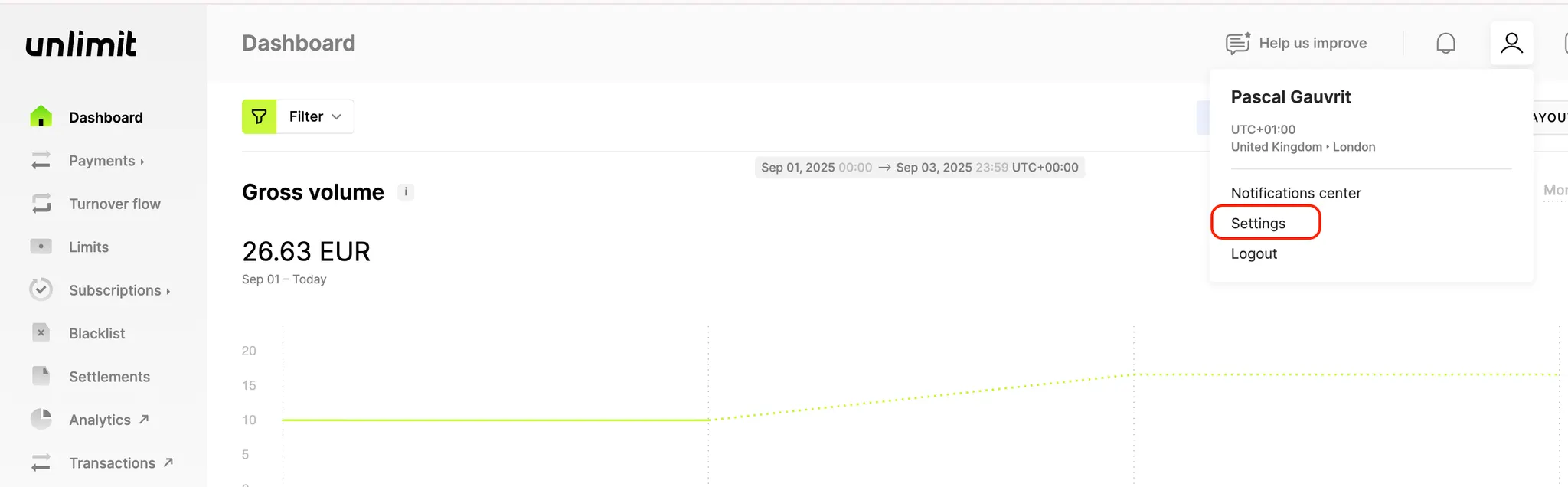
Go to your profile and select the settings tab.
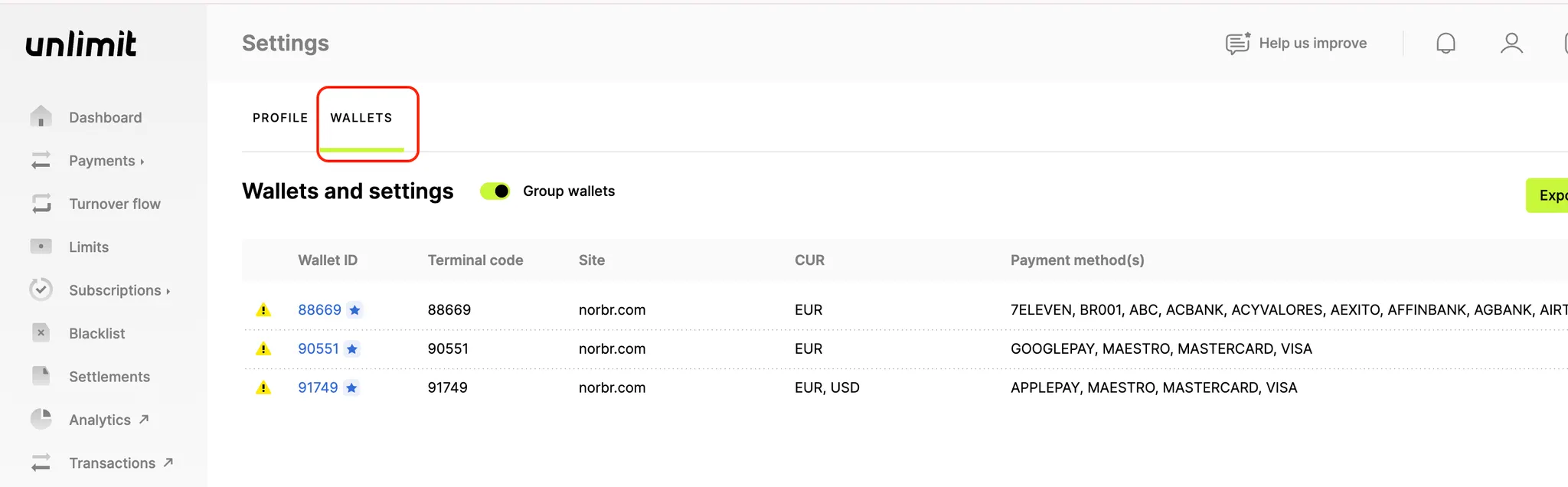
- Navigate to the wallet tab :
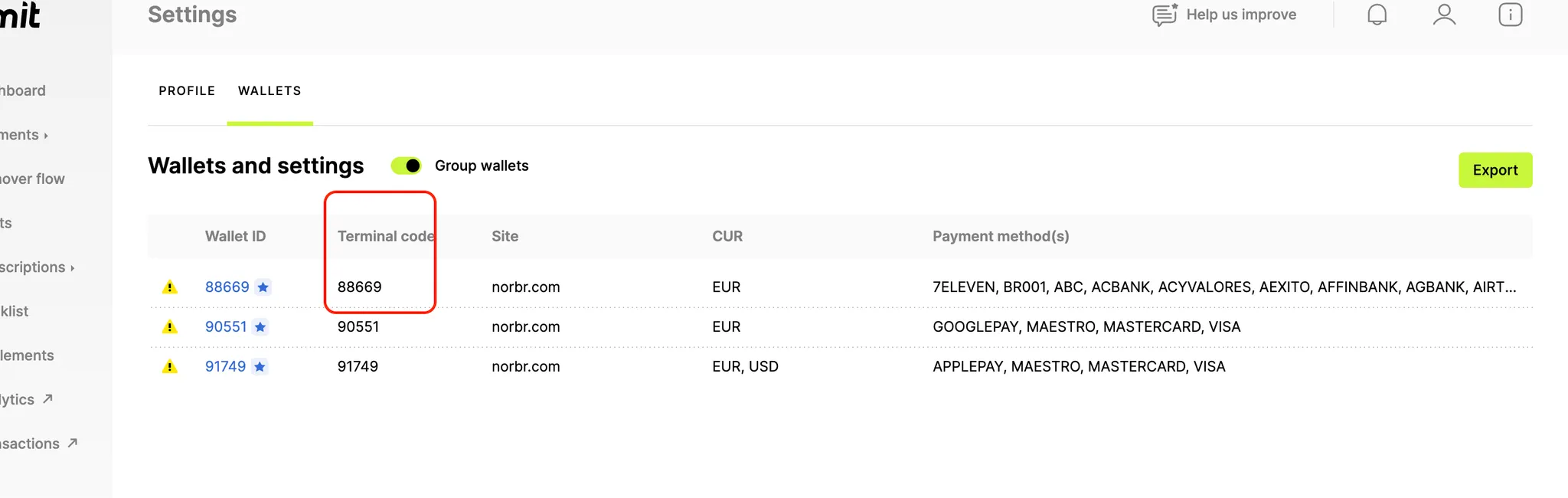
- Retrieve the Terminal code of the wallet you want to connect to your account:
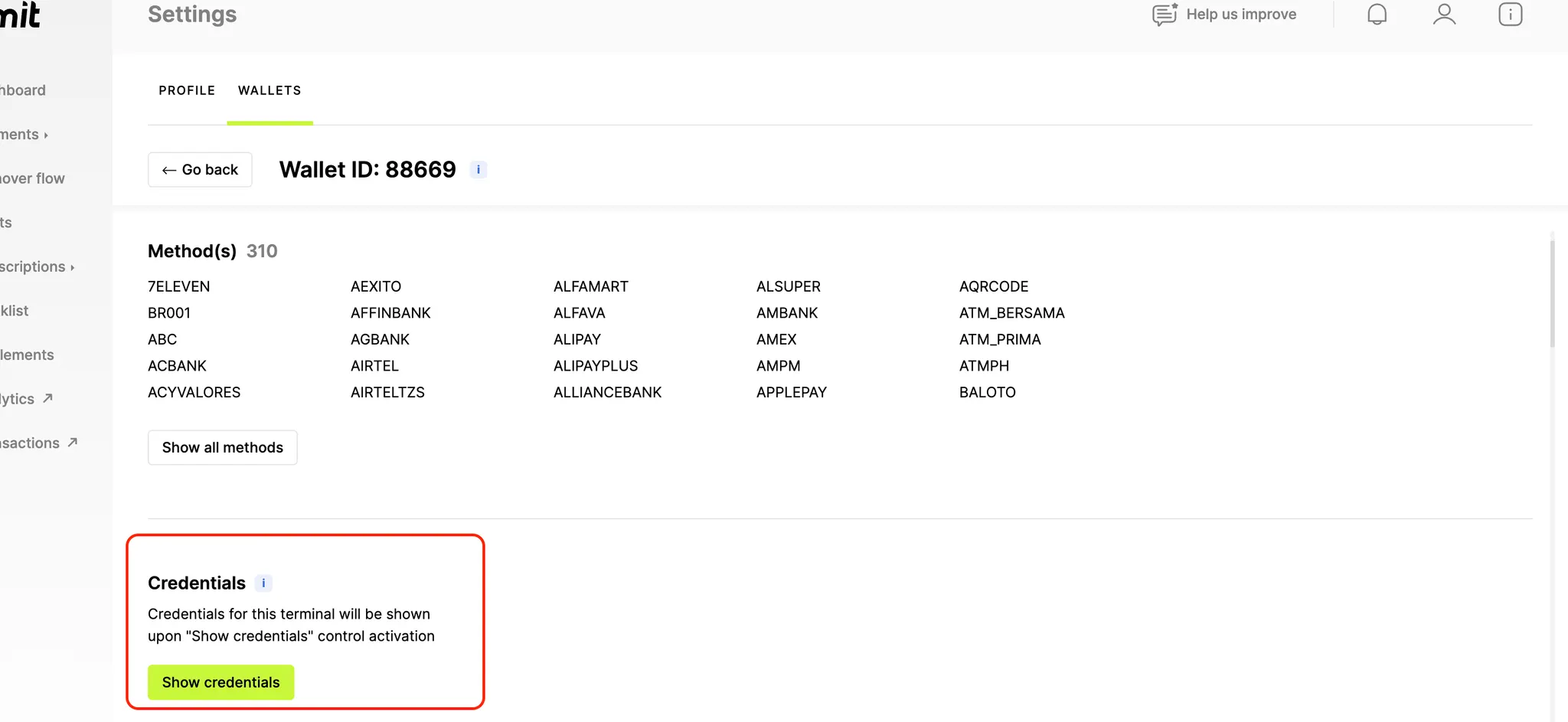
- Click on the wallet selected and go to the credentials section to retrieve the password:
Step 3: Add a Contract to your Merchant Account
-
Log into your Merchant Account.
-
Navigate to Contracts in the left navigation. Select + Create to add a new contract.
-
Select the Merchant Account you want to link to the contract
-
From the provider drop-down list, select Unlimit
-
Settlement currency: select from the drop-down menu. You will only see the available ones.
-
Give your contract a name for easier identification: eg. PSP name.
-
Operational configuration (authentication, risk assessment, network tokenization) : leave without changes
-
Select your sales channels and add payment methods. Once added, you can specify the authorization currency and the sales channels for each payment method.
To activate a payment method with Unlimit, you will need your terminal_code and password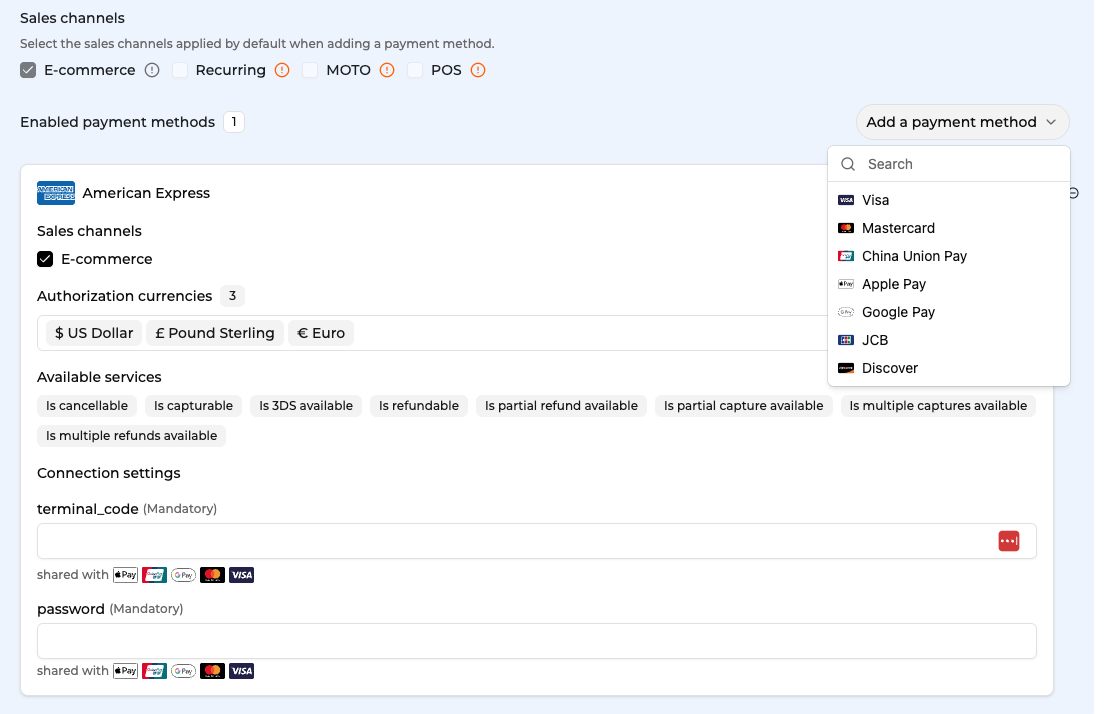
-
Exclusion rule : Set up your exclusion rule if you have one. This section lets you define a condition under which this contract will not be used for routing.
-
Once you have filled in the credentials, select Save, then select Publish to make the contract operational.
Please note that some payment methods will require additional action before you can activate them: ApplePay - ApplePay Certificate, GooglePay - your Merchant ID.
Depending on the integration type you use, there might be differences in activating ApplePay. Please reach out to get to know the steps in our use case. You will need to do one of the following:
- you will need to provide us with the Payment Processing Certificate from the Partner and we will follow up wit the setup.
- fully configure ApplePay yourself using your Apple Developer Account
Step 5: Apple Pay Reference for Unlimit
Please visit Unlimit reference for integrating ApplePay here.
Test cards
Updated about 1 month ago