
Network Tokens
Overview
Tokenization replaces sensitive card data with secure tokens that can be safely used across payment flows.
Instead of relying on raw PAN (card number), transactions can be processed using tokens that:
- reduce exposure to sensitive data
- improve security and compliance
- enable more resilient payment flows
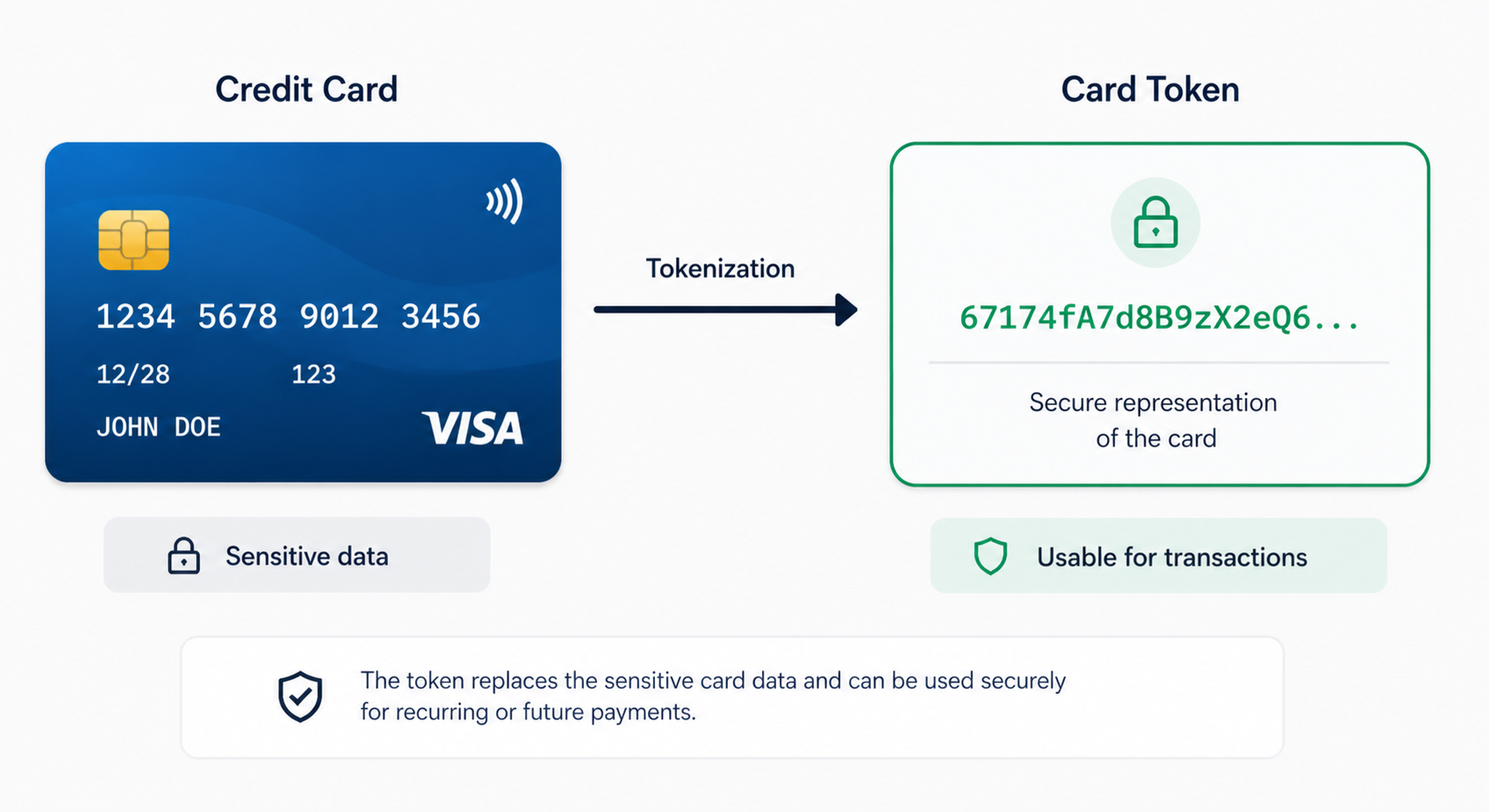
Within the payment platform, tokenization is not a separate feature, it is embedded directly into the payment infrastructure.
Multiple tokenization layers are supported.
Merchant tokens (Vault)
Tokens generated within the platform.
They allow :
- secure storage of card data
- reuse across PSPs
- full control over payment orchestration
Network tokens
Network Tokens are secure, scheme-issued tokens that replace raw card data during payment processing.
They are generated by card networks (e.g. Visa, Mastercard) and allow transactions to be processed without exposing sensitive card information.
Network Token data is stored at transaction level and provide:
- enhanced security for card transactions
- improved authorization performance
- better lifecycle management compared to PAN-based payments (PAN: Primary Account Number, i.e. the card number)
Network Tokens are not just another token format. They are:
- issued and managed by card schemes
- dynamically updated (e.g. card renewal, reissue)
- recognized by PSPs and acquirers
This makes them more resilient than traditional PAN-based payments.
Merchants retain visibility and control over their network token usage. They can:
- track where tokens are used (when data is available from providers)
- analyze performance across PSPs
- benefit from token portability across their payment stack
How Network Tokens work
Network Tokens are fully integrated into the payment flow, it means :
No additional integration required:
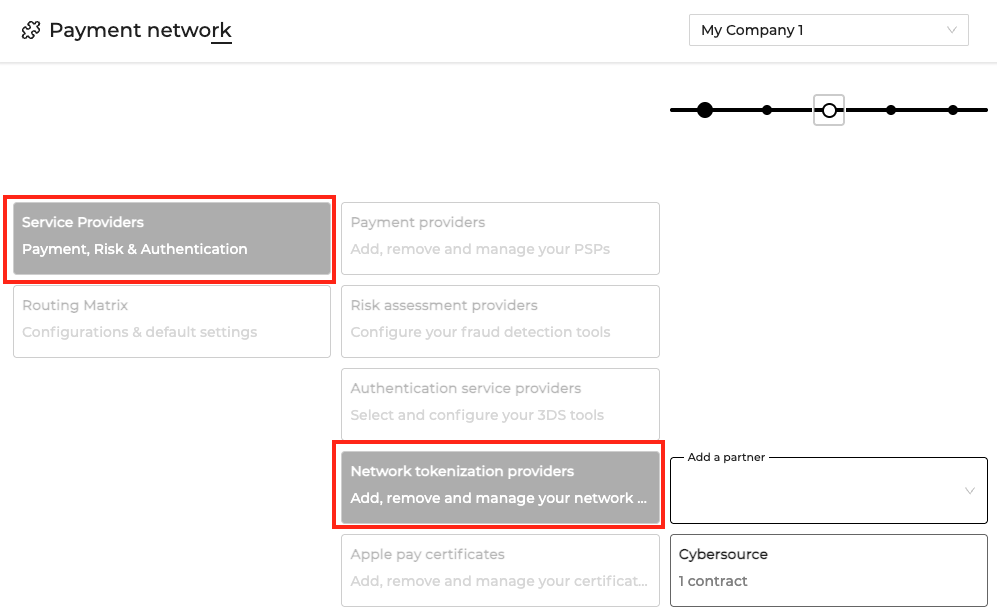
- Network Tokenization must be activated at contract level by selecting a supported network tokenization partner.
- They are seamlessly embedded in existing payment flows
Automatic linkage with merchant token
When Network Tokens are activated: they are automatically linked to your merchant token
This means:
- no duplication of data
- no change in your integration
- full compatibility with existing flows
Smart routing between partners
The compatibility between providers is automatically managed:
- If a partner supports Network Tokens → token is used
- If not → fallback to PAN is triggered
This is fully transparent
Automatic fallback
If a Network Token cannot be used:
- the transaction automatically falls back to PAN
- no disruption occurs
- no manual intervention is required
No migration required
Network Tokens are introduced:
- directly within existing payment flows
- without requiring migration of existing data
- without impacting current integrations
Step-by-step flow
- Activation at contract level
- Network Tokenization is enabled by selecting a supported partner in the contract configuration.
- Token linkage
- When a payment method is tokenized, the network token is automatically linked to the existing merchant token.
- Token usage during payment
- During authorization, a network token availability and usability is checked.
- Smart routing
- If the selected provider supports network tokens, the transaction is processed using the token and its cryptogram. If not, automatic falls back to the PAN is done.
- Transaction enrichment
- Each transaction records whether a network token was used, enabling analysis and performance tracking.
Network token configuration
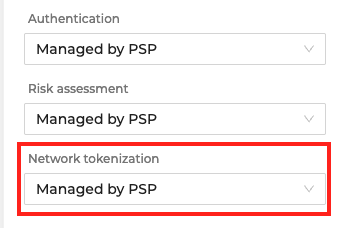
A dedicated field “Network tokenization” allows you to select a supported partner.
|
|
Available options depend on your setup and may include:
- Finaro
- Cybersource
- Other providers (being progressively added)
Network Tokenization must also be supported by the selected payment provider
The feature is activated without requiring migration or API changes
Where to find Network Tokens
Order level
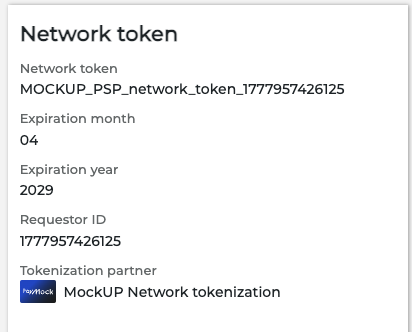
Network Token data is available directly in the Order detail page.
A dedicated section displays:
- whether a network token is present
- whether it was requested and used
- token-related attributes
This allows teams to quickly understand how a payment was processed.
Transaction level
Network Tokens are also available at the transaction level, allowing deeper analysis of payment performance.
Each transaction may indicate:
- whether a network token was used
- whether tokenization was requested
- the outcome of tokenized transactions

API response
You can also find Network tokens in the Order API response
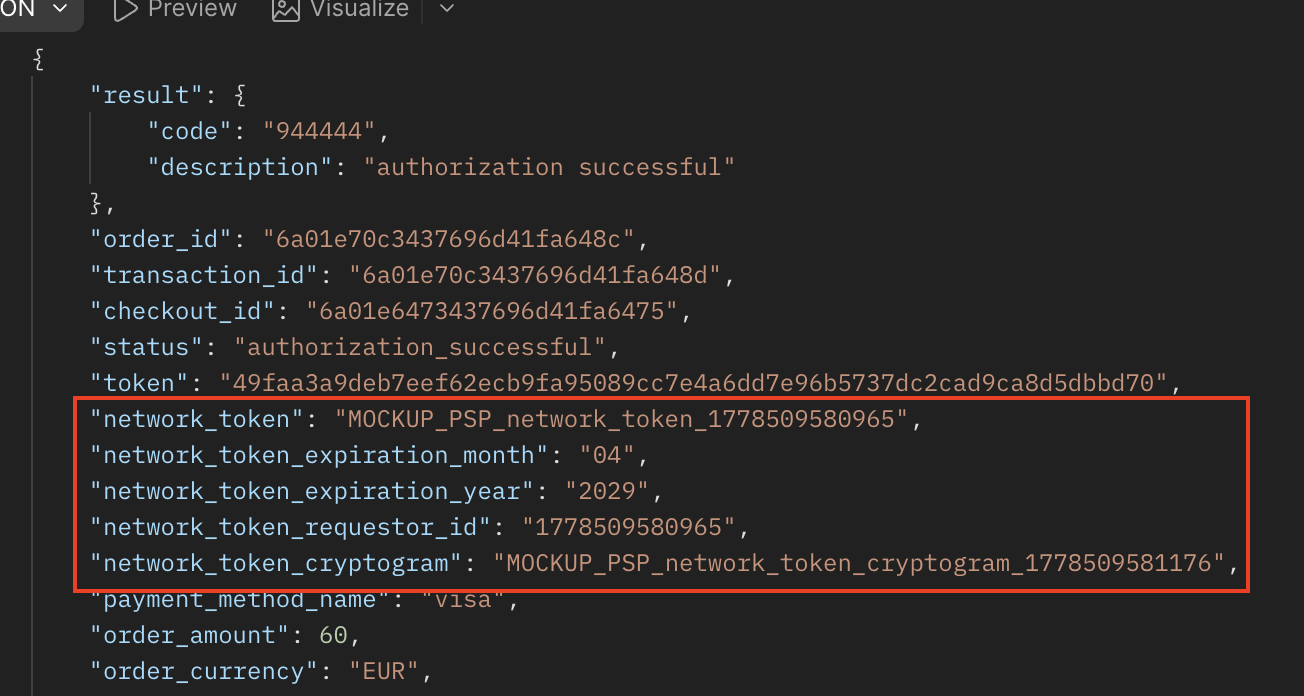
Analytics section
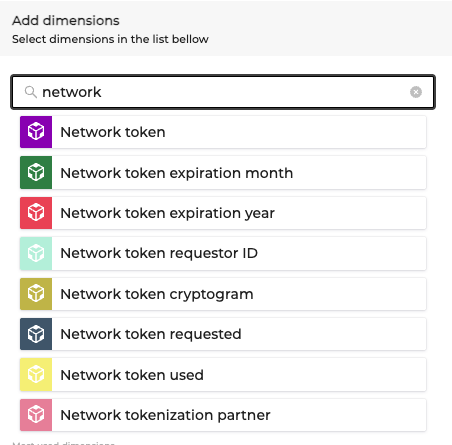
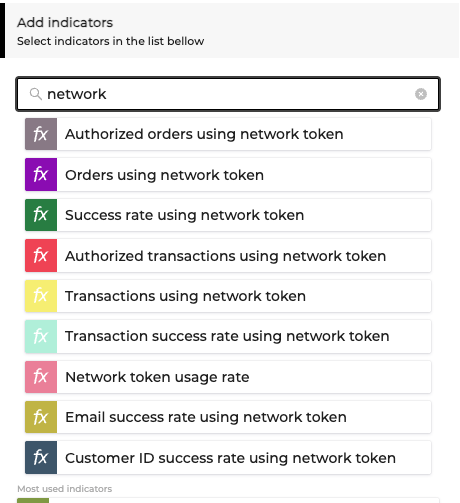
Network Token data is fully integrated into Analytics.
You can use it across :
- filters
- columns
- dimensions
- indicators
It can help you to :
- measure the impact of tokenization on conversion
- compare PSP performance
- track adoption of network tokens
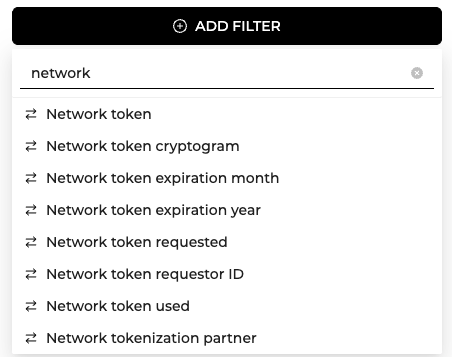
|
|
|
Available dimensions
- Network token
- Network token requested
- Network token used
- Network token partner
- Token expiration data
Available indicators
- Network token usage rate (Percentage of transactions using a network token)
- Transactions using network tokens (Number of transactions using network token)
- Authorized transactions using network tokens (Number of authorized transactions using network token)
- Transaction success rate using network tokens (Percentage of approved transactions using a network token)
- Authorization success rate using network tokens (Percentage of authorized transactions using a network token)
Deduplicated checkout indicators
Network Token data enables more accurate analysis through deduplication.
Available metrics include:
- Deduplicated checkouts by customer ID
- Deduplicated checkout conversion rate
- Checkout-to-authorization rate
- Authorized transaction rate
Tokenization operations
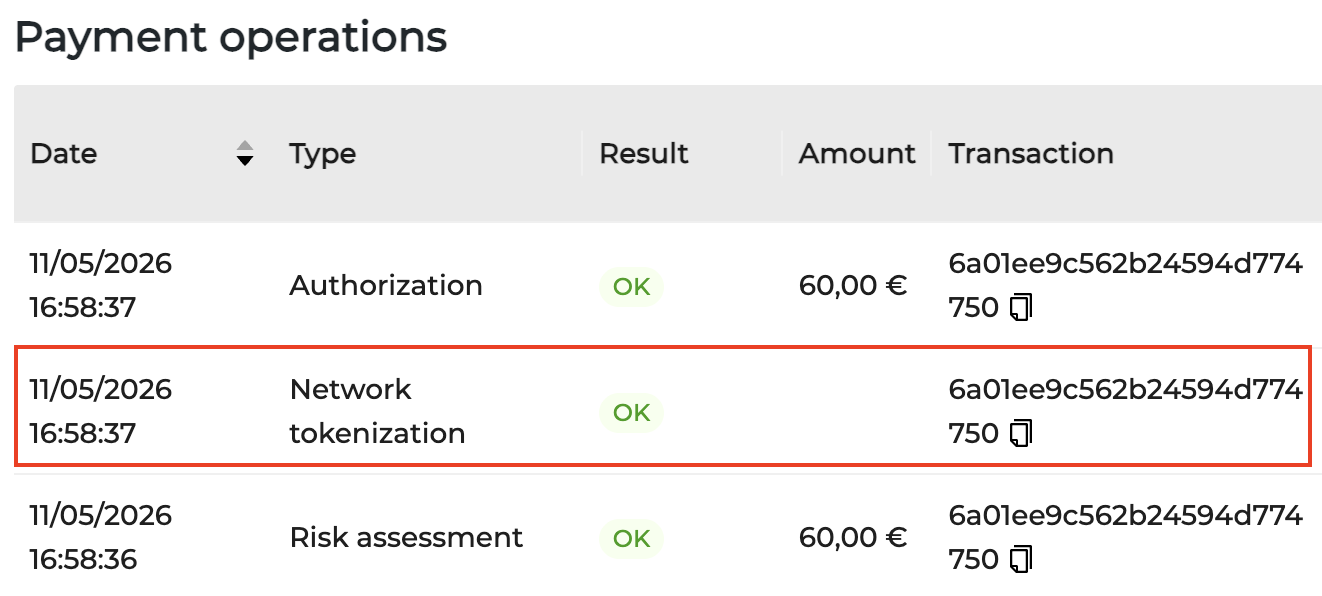
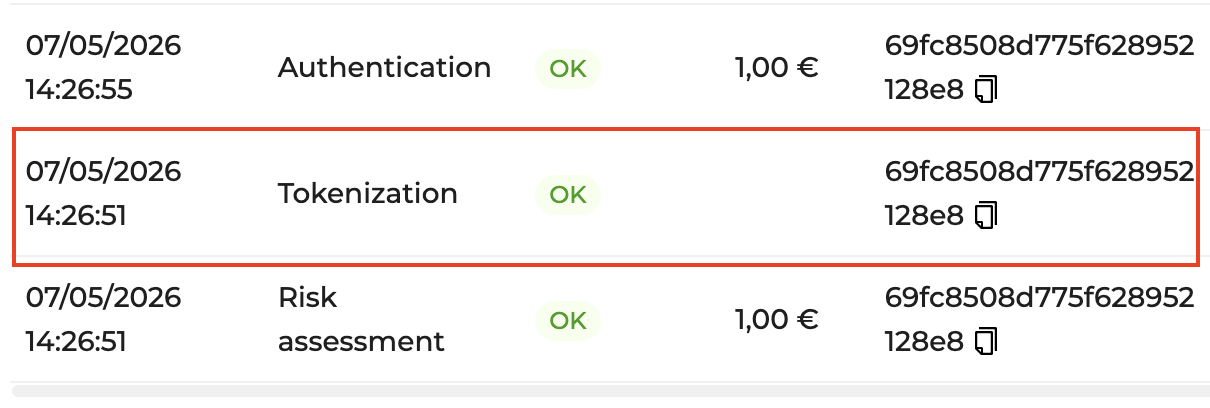
Two new operation types are available:
- Tokenization
- Network Tokenization
|
|
These operations allow you to track:
- when tokenization occurs
- how tokens are used
- failures or fallbacks
Tracking Network Token usage at transaction level helps:
-
identify performance differences between tokenized and non-tokenized payments
-
analyze provider behavior
-
debug authorization issues
Network Token fields
The following fields are available at Transactions level:
| Field | Description |
|---|---|
| Network token | Indicates if a network token is associated with the order |
| Network token requested | Indicates if tokenization was requested |
| Network token used | Indicates if the token was used during the transaction |
| Network token expiration month | Expiration month of the token |
| Network token expiration year | Expiration year of the token |
| Network token requestor ID | Identifier of the token requestor |
| Network token cryptogram | Cryptographic value used for validation |
| Network tokenization partner | Tokenization provider |
API Notifications
Network Token data may be included in API payloads for events related to orders and transactions.
| Field | Description |
|---|---|
| network_token | Value of the token provisioned by the scheme |
| network_token_requested | Indicates if tokenization was requested |
| network_token_used | Indicates if token was used |
| network_token_expiration_month | Expiration month |
| network_token_expiration_year | Expiration year |
| network_token_requestor_id | Requestor identifier |
| network_token_cryptogram | Cryptographic value |
| network_tokenization_partner | Tokenization provider |
- Fields are present only when relevant
- Values depend on provider capabilities
- Token data follows the same lifecycle as the transaction
Network Tokens do not replace existing identifiers but complement them.
Integrators should :
- handle optional presence of token fields
- not assume tokens are always available
- support fallback scenarios
Updated 4 months ago