
Checkouts
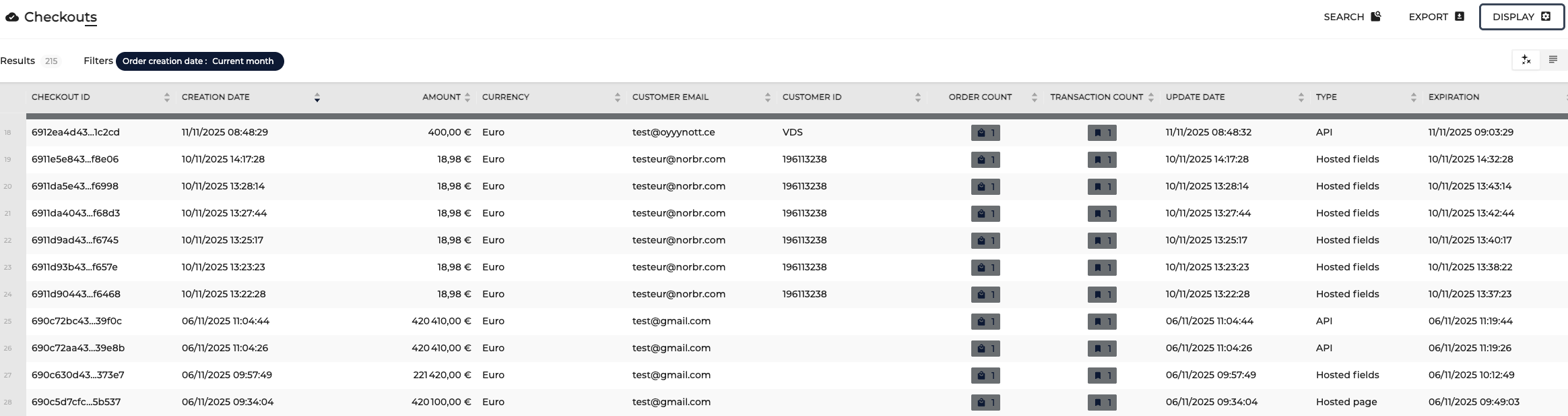
In the Checkouts section you will find all created checkouts being listed with some additional details. By default, the displayed details are:
- Checkout ID
- Creation date
- Amount
- Currency
- Customer email
- Customer ID
- Order count
- Transaction count
- Update date
- Type
- Expiration date
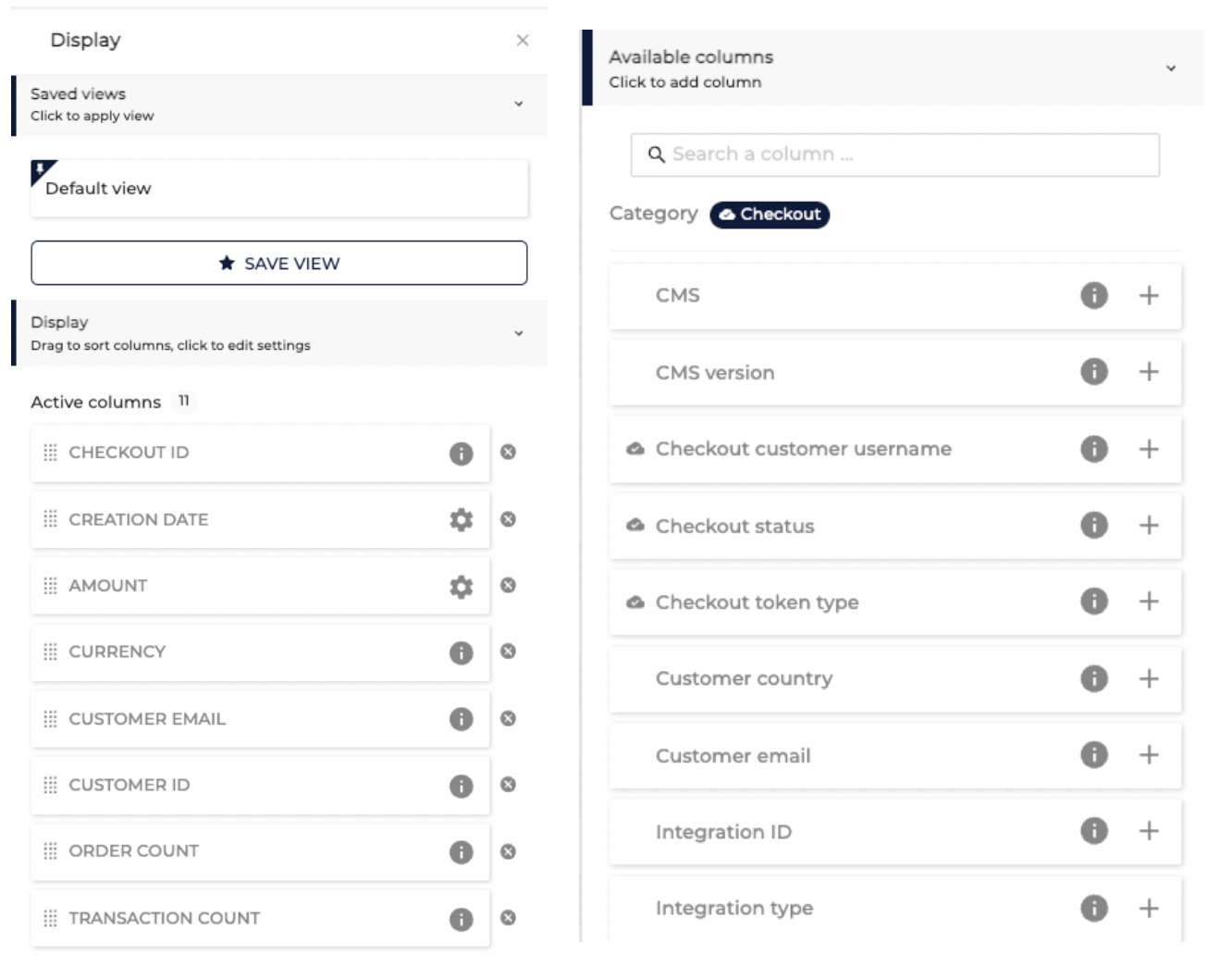
Additionally, if needed, you can add some more columns to your view so see more other information. You can do is by selecting Display in the top right corner and selecting the columns you want to have added.
Please note that if you do not save your view, you will need to add the columns each time as the view will get back to the default setup.
If you press on a checkout listed, you will be redirected to the order that was created with this checkout ID.
Updated 11 months ago