
Orders
Orders section, similar to Checkouts and Transaction sections, provides you the list of orders processed in your account. Here you will find many useful information, which by default in your view are:
- Order id
- Transaction count
- Order status
- Amount
- Partner (PSP)
- Payment Method
- Customer Country
- Merchant reference
- Customer email
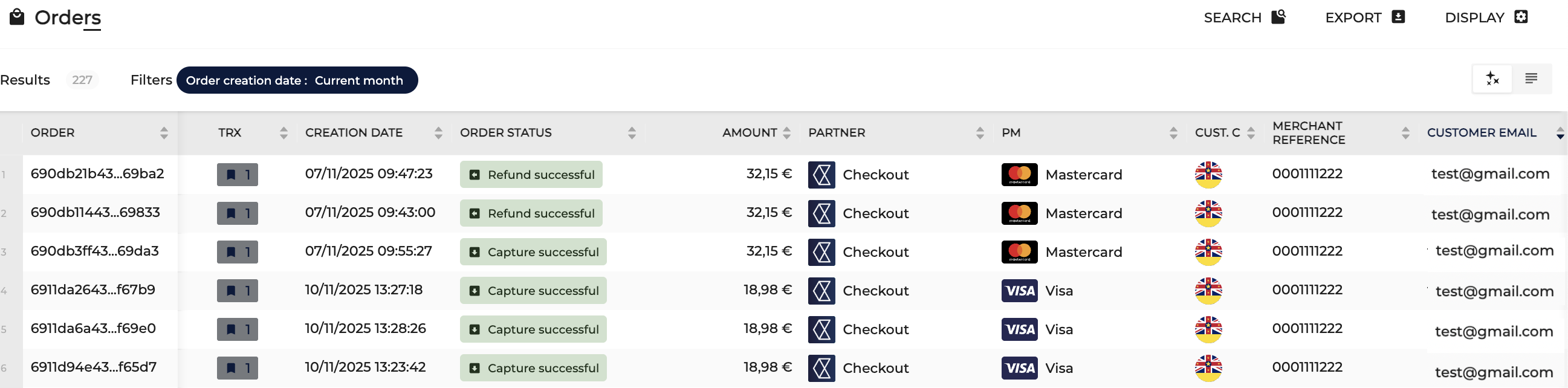
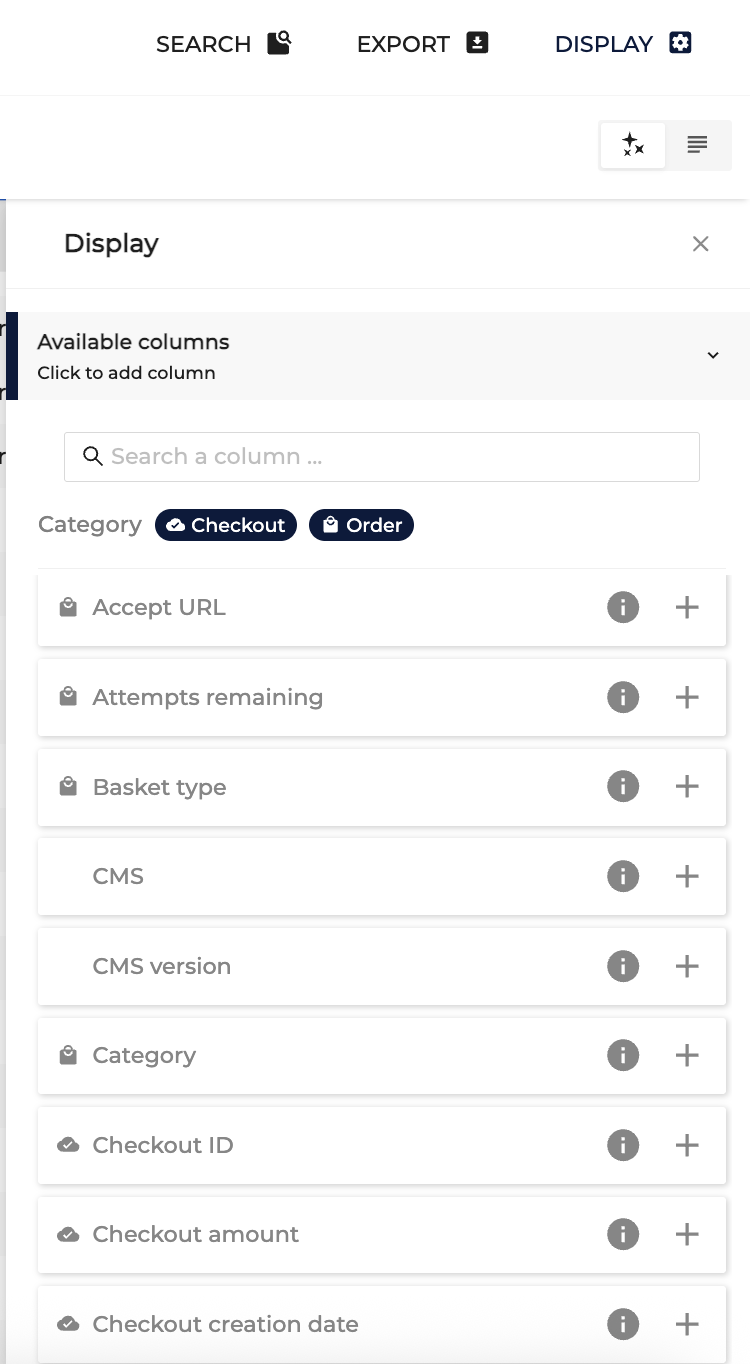
Here, you can also add much more information to be added into your view. You can do so by going to Display in the top right corner.
If you select and press any of the orders, you will be redirected to the order details page where you can find all available details regarding this order.
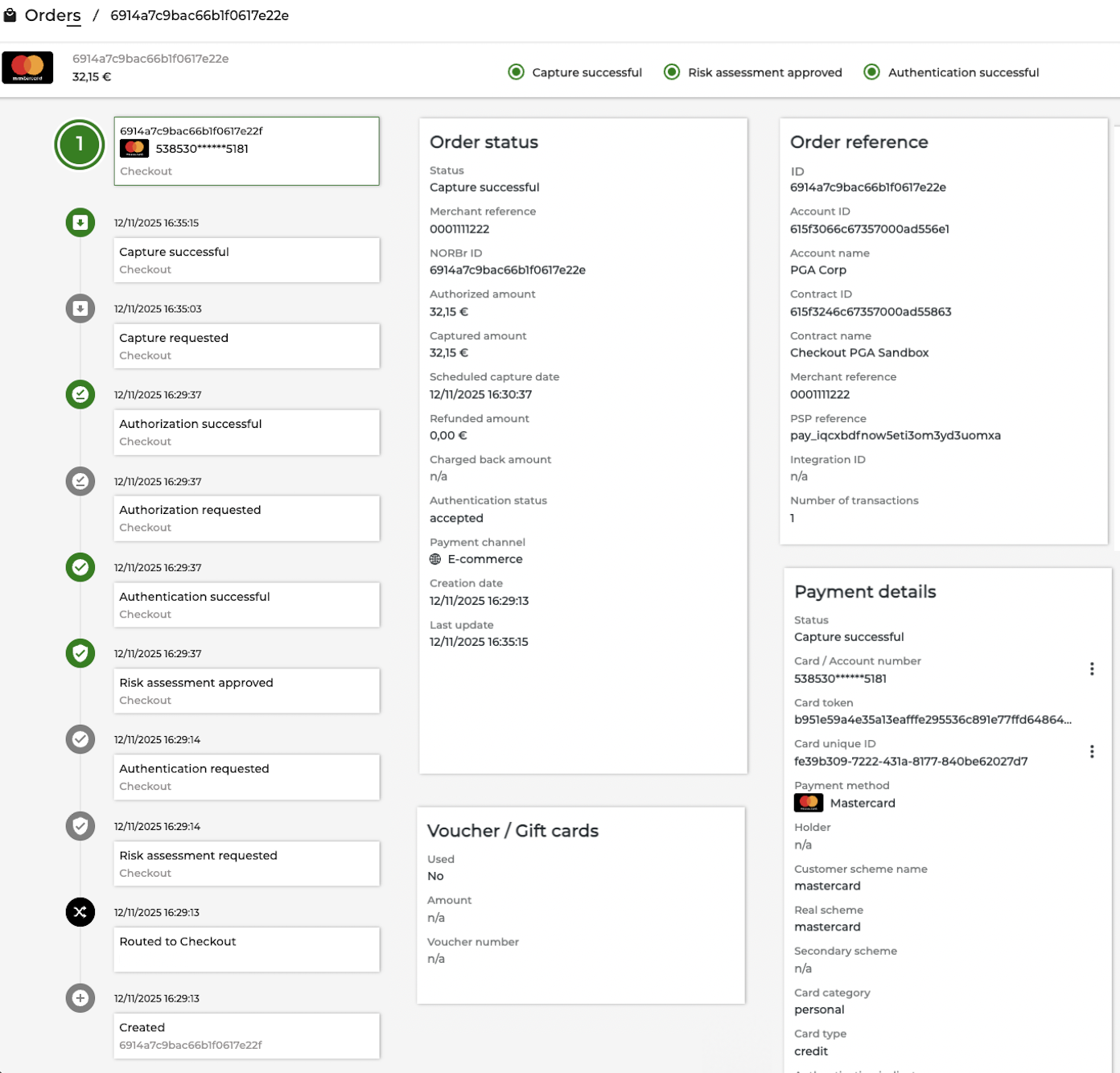
In the order details page you will see all transactions and operations that took place and all available payment details.
Transaction vs operation
Transactions: Transactions can be understood as payment flows that took place within one order and each transaction consists of operations. In the example above there is only one transaction that took place. You can also identify it by looking on the left side where you can see big green 1
In the example below, at the top of the page you can see the number representing the last transaction (2) and going down the page you will see the 1st one, earlier transaction. If you see more than one transaction, it means that either retry or fallback took place.
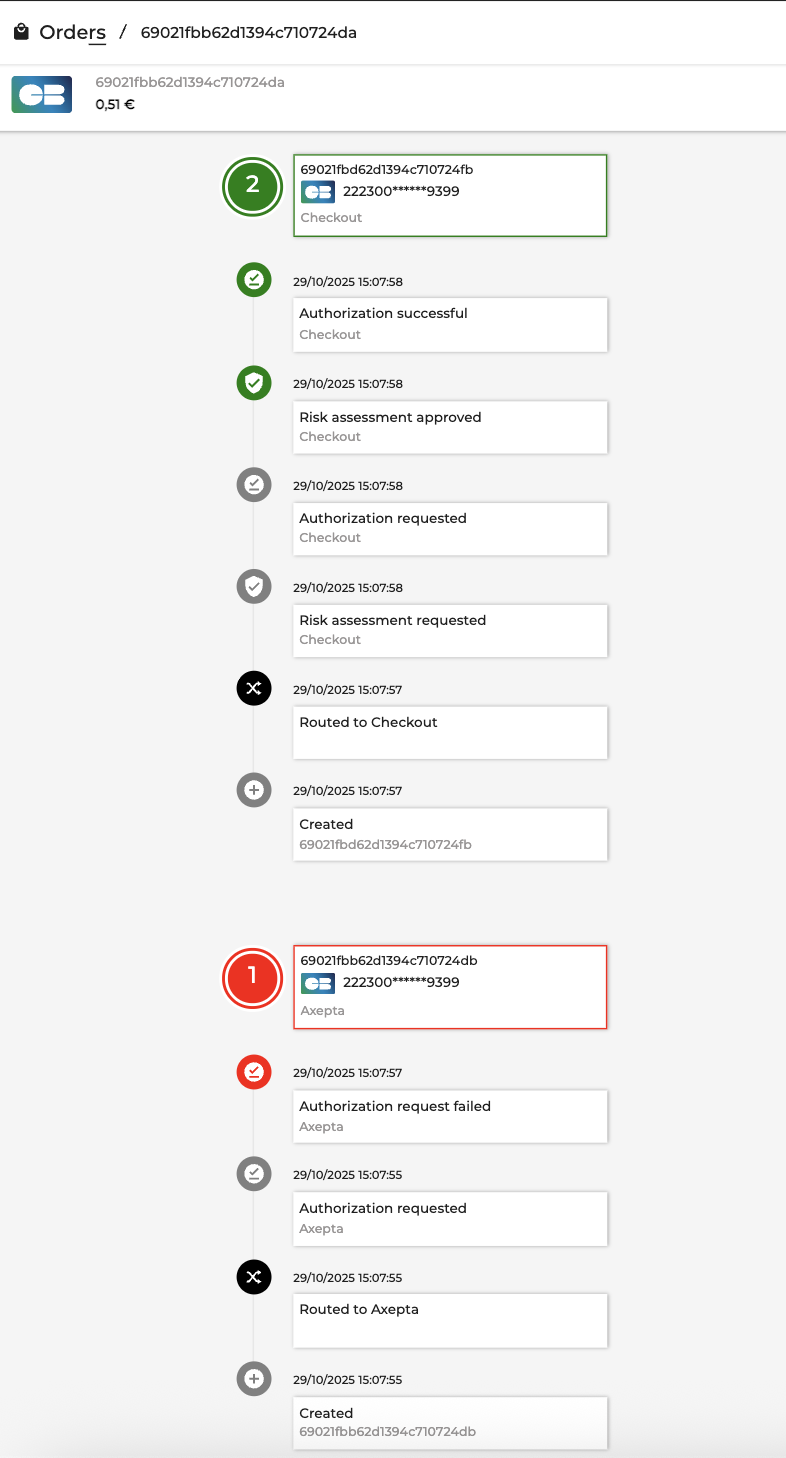
Operations: Operations are actions that took place within one transaction. In the examples above you can see operations being: risk assessment, authorization and capture.
Updated 12 months ago