
Buckaroo
This guide will walk you through the process of activating Buckaroo on NORBr.

Step 1: Contract signature
Sign a contract with checkout.com, and get access to the back office.
Step 2: Ask for the use of raw card data
Contact Buckaroo trough either the support or the account manager of the account and ask the following :
We are currently in the process of activating Buckaroo through NORBr, and as previously validated with the NORBr team, we would like to proceed with the use of raw card numbers during the transaction processing.
Could you please enable the use of raw card numbers via the NORBr integration for the following account: [Your Buckaroo Account ID]?
Step 3: Collect your API Keys
Connect to the Buckaroo interface here : https://plaza.buckaroo.nl/
And then go : https://plaza.buckaroo.nl/Configuration/Merchant/ApiKeys
A website will be the equivalent of a merchant contract on NORBr interface so for each website, get the Website Keys and Secret keys here :
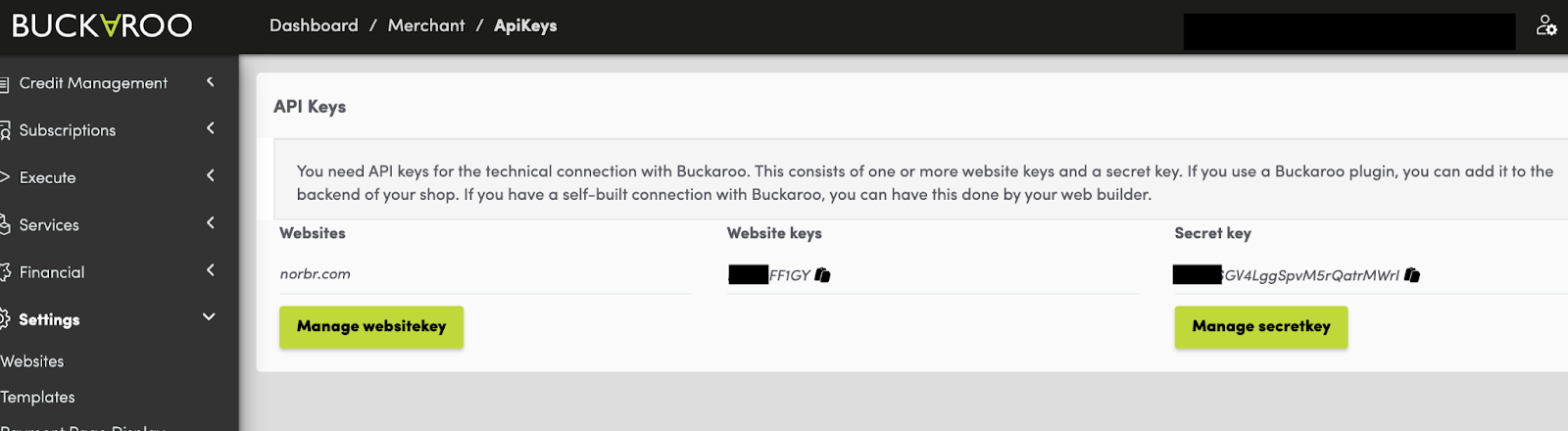
And then fill them out here :
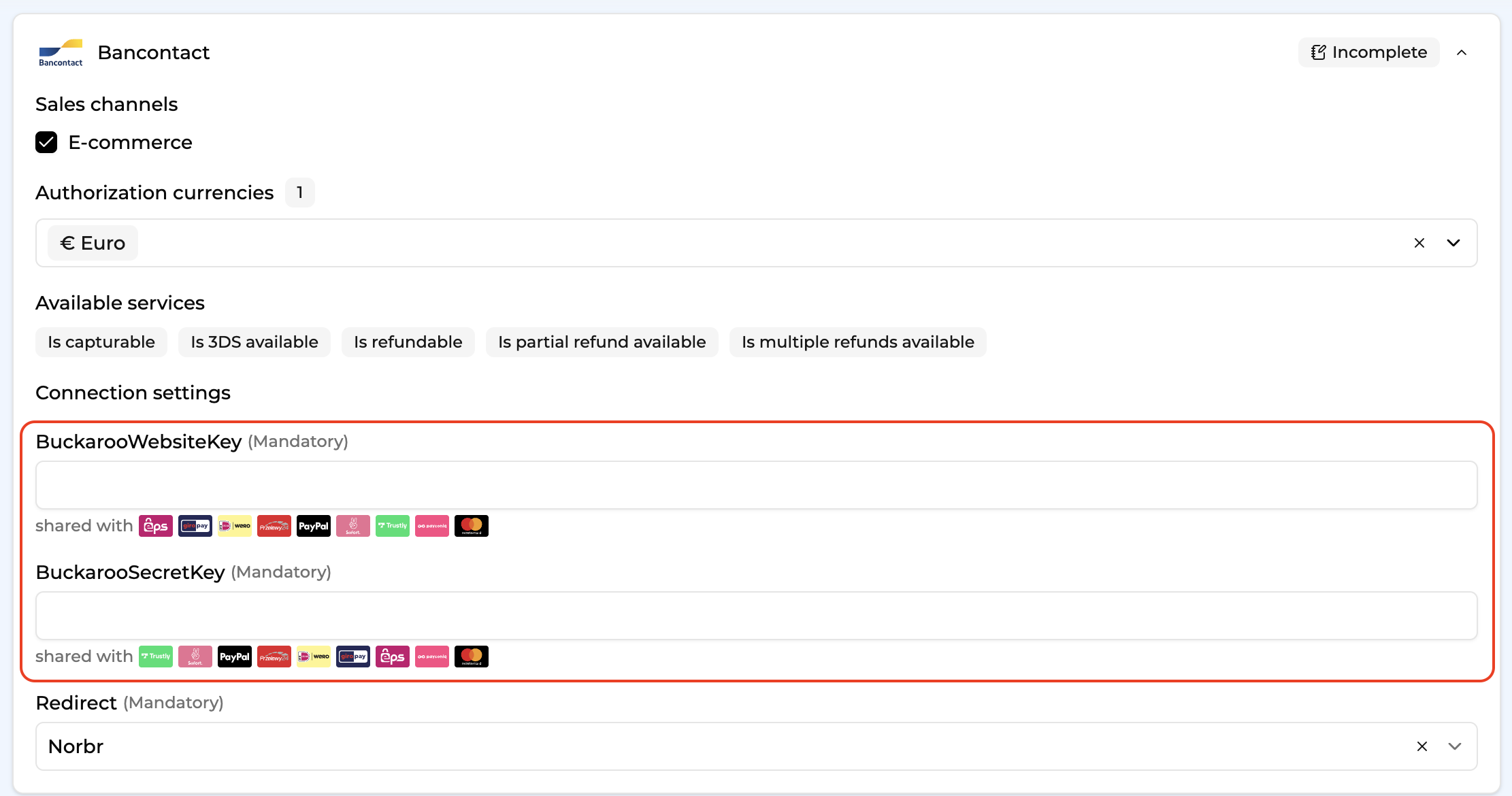
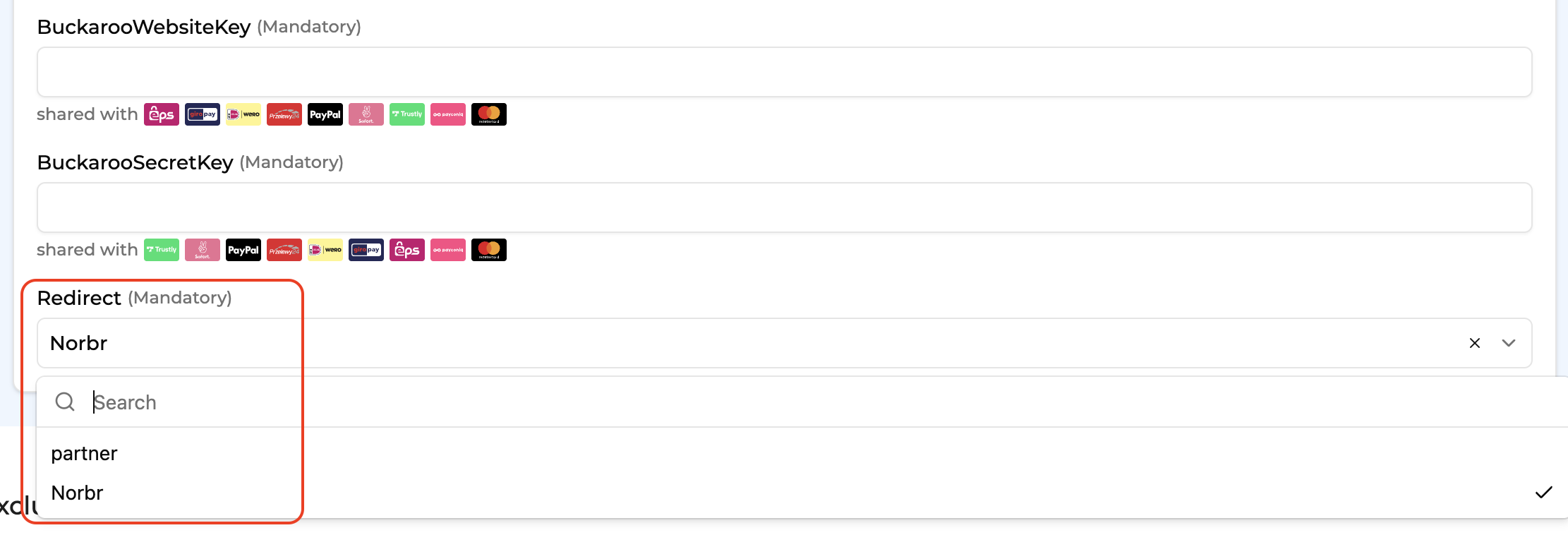
Step 4: Choose the workflow on Bancontact
Either you go through Buckaroo, and use their payment form to collect card data, or you use NORBr’s page. You can choose either option via this field :
Step 5 : Test the payment methods
You can find all the test scenarios and data here in buckaroo documentation :
Updated about 1 month ago