Contracts table
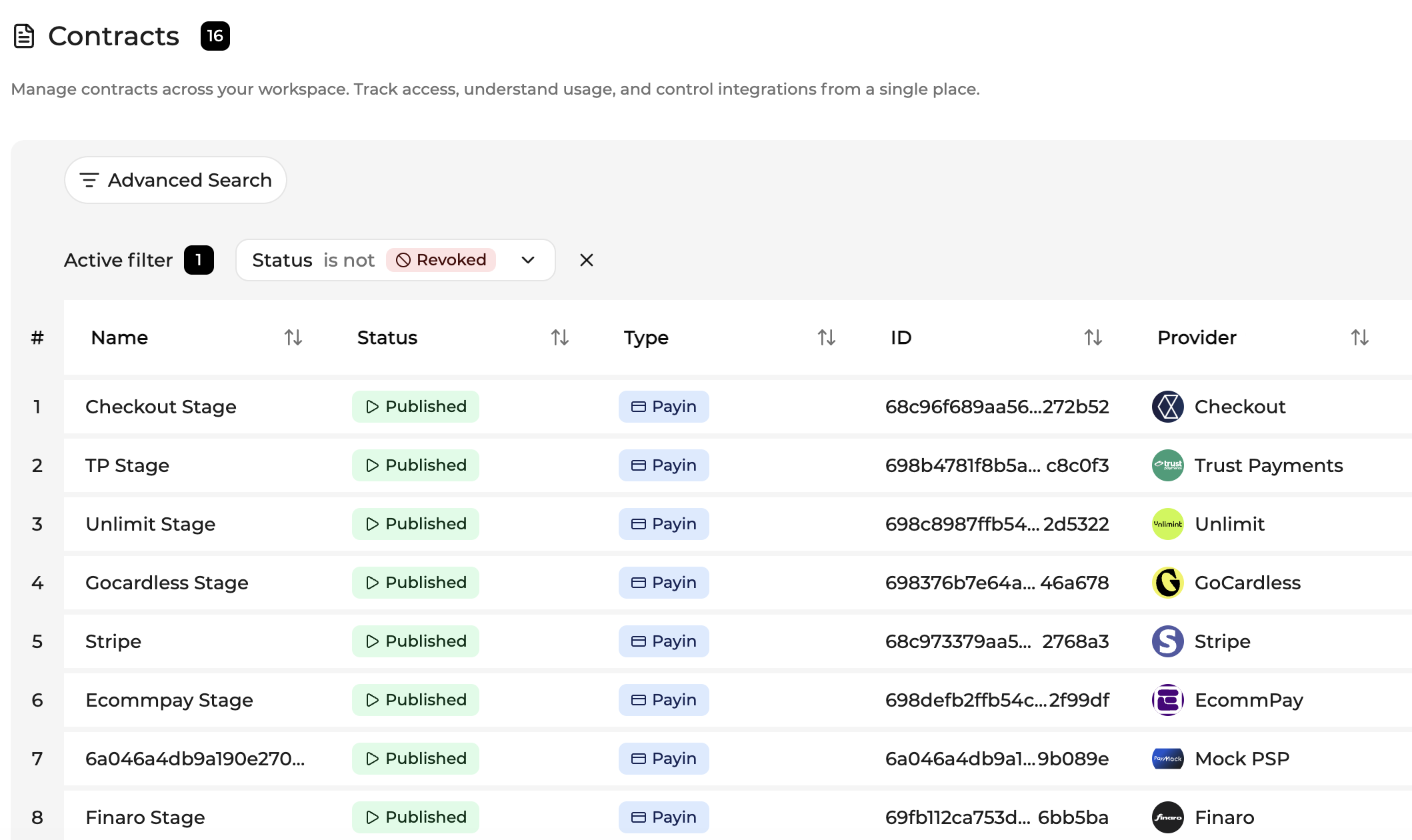
The Contracts table displays all contracts available within the current company scope. Clicking a row opens the corresponding contract in the detail view.
A guided tour is available from the help icon in the top-left corner of the page. The tour introduces the purpose of contracts and explains how to create, find, and manage them across the Console.
Columns include:
| Column | Description |
|---|---|
| Name | Display the name of the contract |
| Status | Indicates whether the contract is unpublished, published, or revoked |
| Type | Indicates the type of the contract : payin, risk provider, or network tokenization provider |
| ID | Unique identifier of the API key |
| Provider | Display the name of the provider used by the contract |
| Settlement currency | Display the settlement currency |
| Sales channels | Indicates wether the contract applies for E-commerce, recurring payment channel, or both |
| Merchant account | Display the name of the merchant account attached to the contract |
| Available payments methods | Indicates which payment methods are available with the contract |
| Available payment methods count | The number of available payment methods available with the contract |
| Selected payment methods | Display which payment methods are currently selected for the contract |
| Authentication mode | How the authentication is managed |
| Authentication partner | Who is managing the authentication |
| Risk mode | How the risk analysis is managed |
| Risk provider | Who is managing the risk analysis |
| Network token mode | How the network tokenization is managed |
| Network token provider | Who is doing the network tokenization |
| Created by | User who created the contract |
| Updated by | User who updated the contract |
| Published by | Contract publication timestamp |
Table capabilities
The Contracts table supports standard Console features:
- search
- sorting
- pagination
- column configuration (Add a column)
Updated 29 days ago