
API & Notifications
In the API & Notifications section of your account, you can make some useful adjustments such as:
-
Adding/editing Notifications. Make sure to go through our Notifications section for a full guide.
Add or edit the notifications you want to receive. Setup a URL, the triggers and activate the notification.
-
Adjusting your capture procedure setup: capture on demand/scheduled capture
-
For Hosted Page Integration: Adjusting the look of your hosted page, including a custom CSS file upload.
Make your hosted page look in the alignment with your business branding: add your logo, adjust colors and decide wether you want to display additional fields or not.
-
Setting up the redirect links if you want them static.
How to navigate in the API & Notifications section in your account?
-
Log into your Merchant Account.
-
On the left-hand side navigate to Integration > API & Notifications.
-
If you have more than one Merchant Account, you need to select one on the top of displayed page.
-
Select the section you want to work on, eg. Notifications
-
Start adjusting, eg. add notification.
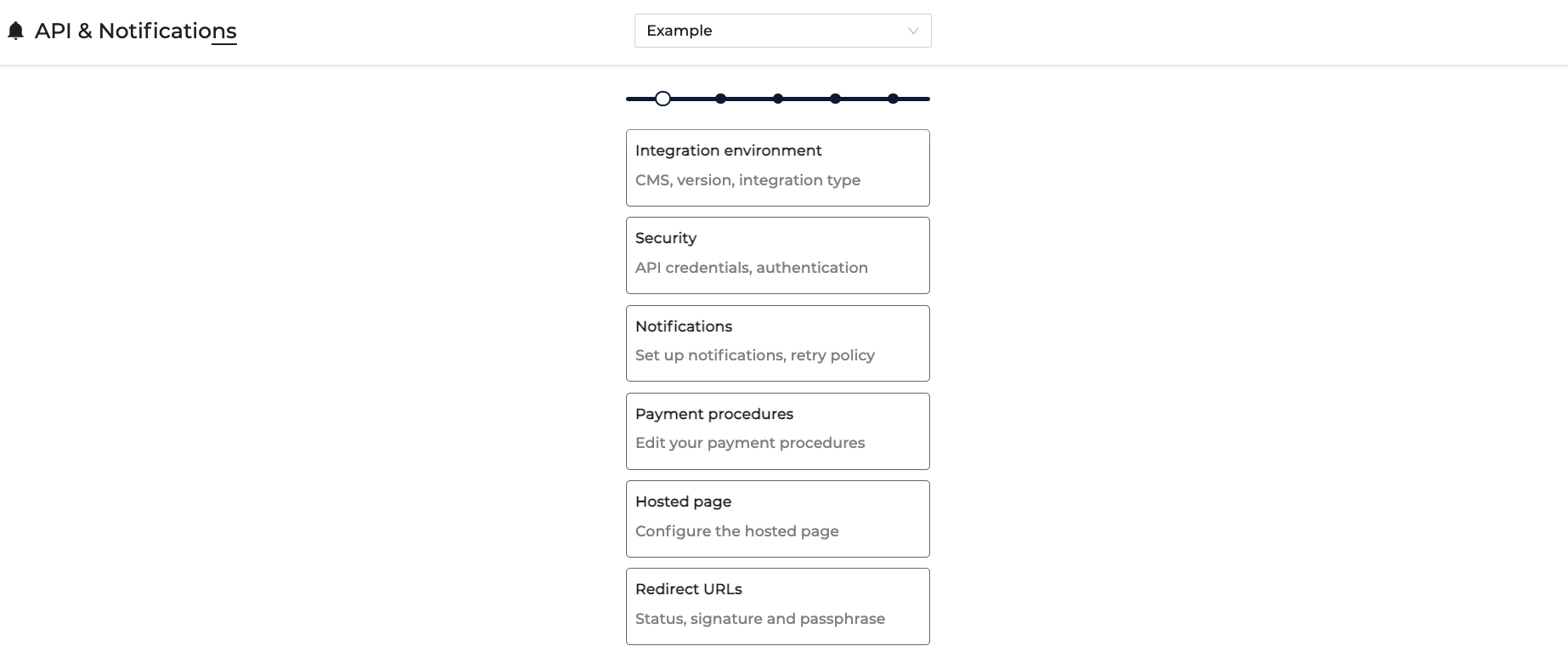
All adjustments made in the API & Notifications section are per Merchant Account (see Structure section for a detailed overview).
Updated 10 months ago