
Manage payment methods
Learn how to manage Payment Methods and control which payment methods you want to use with each Payment Provider. From traditional credit and debit cards to alternative payment methods and digital wallets, you can enable, disable, or configure payment methods according to your business needs and market requirements.
- Activate or deactivate methods based on geography, customer preferences, or business strategy.
- Configure settings such as currencies.
Activate a payment method for a Merchant Contract
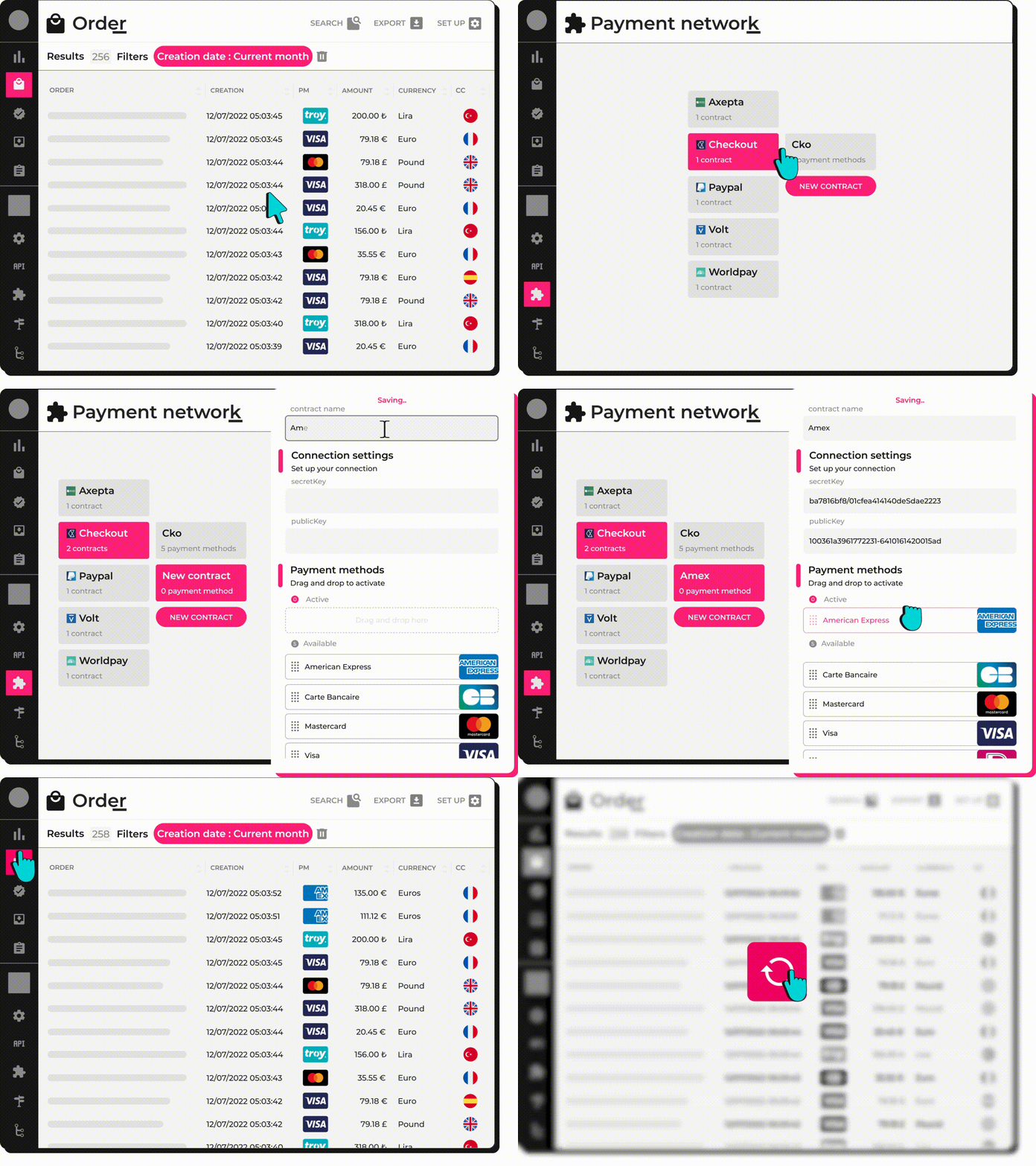
If you want to activate new payment methods for a selected Payment Provider, you need to do this within the Merchant Contract created for this Payment Provider.
Please follow these steps to activate a new Payment Method:
- Log into your Account.
- Navigate to Integration > Payment Network > Payment Providers
- Select the Merchant Contract.
- From the Available payment methods select one you want to activate and simply Drag & Drop it into the Active payment methods.
Edit Payment Method
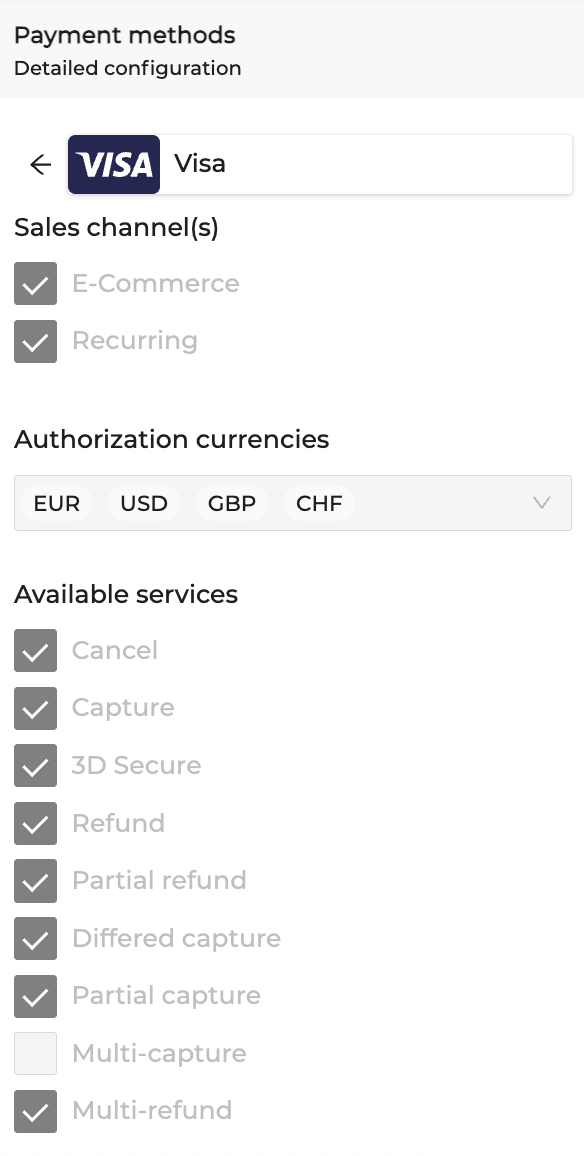
Once you have your Merchant Account up and running with one or more payment methods activated, you can edit the payment method if needed.
- Edit active sales channels for a specific payment method
- Edit available authorization currencies
- Edit available services
All the above edits can be done by accessing the payment method in your Merchant Contract as follows:
- Log into your Account
- Navigate to Integration > Payment network > Payment Providers > Select Merchant Contract
- Select payment method > edit
- You will see a dedicated payment method page where you can start editing.
Payment Method Settings
Updated 26 days ago